

Key takeaways
- App Store Connect shows gross revenue. Your real take-home — after Apple's cut, taxes, and dev costs — is typically 60%+ lower than that number.
- Track four numbers, not one: gross revenue, net payout, after-tax income, and real take-home. Decisions made on the first number are made on bad data.
- Set aside 25–35% of every payout for taxes the moment it lands. No employer does this for you as a self-employed developer.
- App analytics tools (App Store Connect, RevenueCat) tell you how your app is doing. A budgeting app tells you how you're doing. You need both.
- Don't spend against a spike. A big launch month is not your new baseline — treating it like one is how developers end up short in a slow quarter.
There's a number that every indie developer knows intimately: their App Store revenue. You check it in the morning. You check it after a launch. You watch it tick up after a Reddit post lands.
And then there's the number most developers never look at: what they actually made.
The gap between those two numbers is where a lot of financial stress lives. App Store Connect shows gross revenue, which is the amount customers paid before Apple takes its cut, before taxes, before the Xcode subscription and the cloud infrastructure and the contractor you paid to fix the push notification bug. By the time money reaches your personal bank account, it's been through a series of deductions that most developers never add up.
I've been building Balance Pro since 2014, which means I've watched more than a decade of my own App Store payouts hit the bank, and I've talked with a lot of other indie developers about how they handle the same thing. This is the system I built to track all of it, and why most developers skip it entirely.
Which four numbers does every indie developer need?
App Store revenue isn't one number. It's four, and you need all of them to understand how your app is actually affecting your finances.
1. Gross revenue
This is what App Store Connect shows: the total amount customers paid before any deductions. It's a useful metric for tracking growth and comparing periods, but it tells you almost nothing about what you earned.
2. Net payout
Apple takes 30 percent of every sale (15 percent if you qualify for the Small Business Program, which applies to developers earning under $1M a year in annual proceeds). Google Play uses the same structure. A $9.99 app purchase generates roughly $7.00 in net proceeds. Payouts also arrive 30 to 45 days after the sale and may be reduced further by FX conversion fees if you have international users paying in other currencies.
This is the number that actually lands in your bank account, and it's typically 25 to 40 percent lower than the gross figure you see in the dashboard.
3. After-tax income
As a self-employed developer, you owe both sides of FICA (self-employment tax: 15.3 percent of net income) plus federal and state income tax. No employer withholds this for you. If you're earning $50K to $100K a year from your apps, you should be setting aside 25 to 35 percent of every payout the moment it arrives.
Most developers don't do this. They see the payout, spend it, and then face a painful April scramble to find money they no longer have.
4. Real take-home
What's left after you subtract your development costs: Apple Developer Program ($99 a year), Google Play account, cloud infrastructure (hosting, database, backend services), developer tools and SaaS subscriptions, any contractors or designers you paid, and the hardware you use to build. This is the number that tells you whether your app is actually improving your financial situation, or just keeping you busy.
Here's what those four numbers looked like for a recent month, working through the math:
That's the $3,400 dashboard number turning into $1,294 in actual spendable income. Not a tragedy, but a very different picture than what App Store Connect shows. If you're making decisions based on the top number instead of the bottom one, you're making them on a figure that's off by more than 60 percent.
What tools do developers actually use, and what do they miss?
App Store Connect and Google Play Console are the standard starting points. They show gross revenue, proceeds by territory, subscription renewal rates, and download trends. They're essential for understanding how your app is performing, but they're business analytics tools, not personal finance tools. They stop at the payout.
RevenueCat is excellent for subscription apps. It normalizes revenue across platforms, tracks MRR and churn, and gives you a cleaner picture of subscription health than the native consoles. Again, a business metrics tool. It tells you how your app is doing. It doesn't tell you how you're doing.
Spreadsheets are the classic developer fallback. They can work if you maintain them. The problem is that the tedium of manual entry means most spreadsheets die around month three. You miss a payout, then another, and eventually the spreadsheet no longer reflects reality.
What's missing from all of these is a layer that connects app revenue to personal finances: tracking where the money actually goes after it leaves the App Store ecosystem.
How do the revenue tools compare?
If you want a single frame for deciding what to use, here's how the common options stack up for an indie developer trying to see real take-home, not just dashboard revenue.
| Tool | What it tracks | Setup effort | Best for |
|---|---|---|---|
| App Store Connect / Google Play | Gross revenue, downloads, proceeds by country | None, built in | Seeing how the app is performing, not what you earned |
| RevenueCat | MRR, churn, LTV, cross-platform subscription revenue | SDK integration | Subscription apps that need unified analytics |
| Spreadsheet | Anything you remember to log | High, ongoing | Developers who genuinely enjoy maintaining a sheet |
| Budgeting app with custom categories | Payouts, taxes, dev costs, real take-home | 15 to 30 minutes, then 5 minutes a week | Connecting app revenue to personal finances |
Most indie developers don't need to pick one. App Store Connect shows you how the app is doing, RevenueCat helps if you're subscription-heavy, and a budgeting app closes the loop by turning those numbers into a full picture of what you actually made. The mistake is stopping at the first tool and assuming the dashboard is telling you everything.
How do I actually track my app revenue?
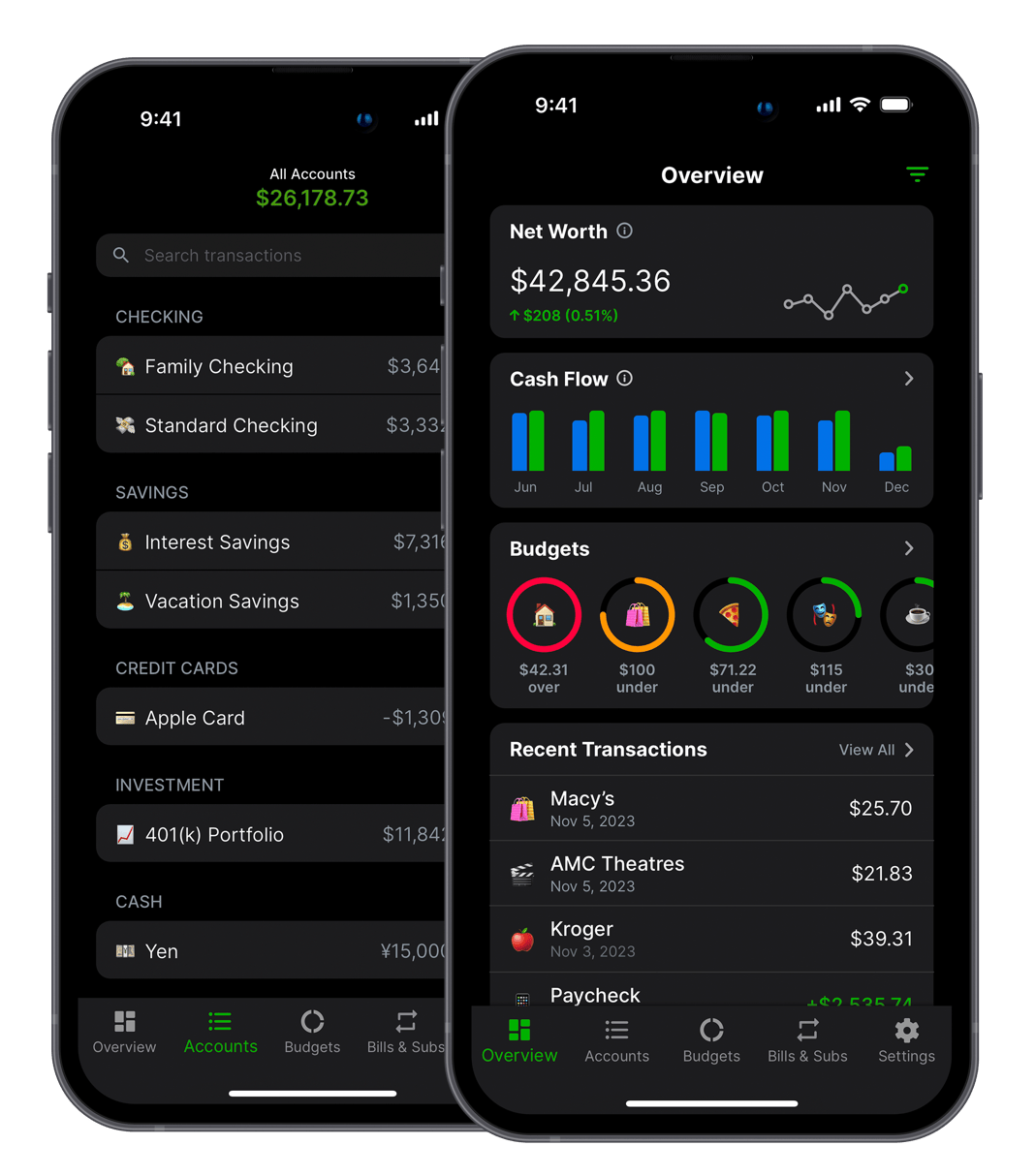
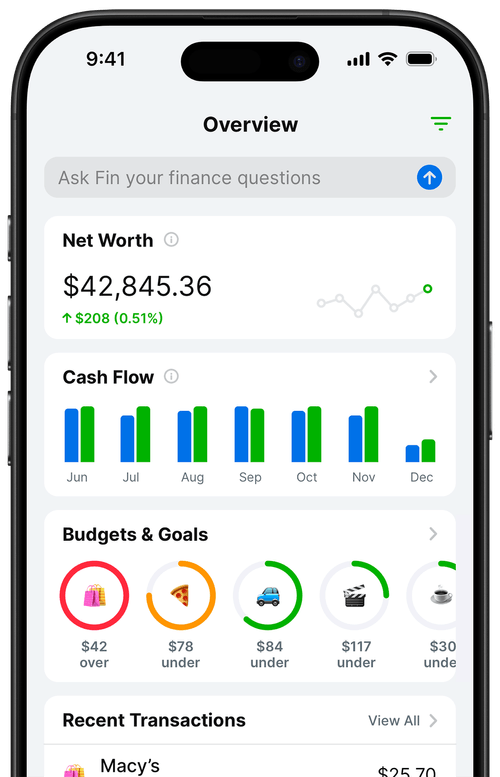
The system I use is simple enough to maintain in about five minutes a week. Here's how it's set up in Balance Pro:
Step 1: Separate income categories for each revenue source
I created three custom income categories: "App Store Payout," "Google Play Payout," and "Consulting Income." When a deposit arrives, I tag it with the right category. At the end of any month, I can see how much came from each source and how the mix has shifted over time.
Step 2: A tax set-aside goal
I have a dedicated savings goal called "Tax Reserve" set to 28% of every income transaction. Every time a payout lands, I transfer that percentage to a separate savings account and tag it in Balance Pro. The goal tracks my progress toward each quarterly estimated tax payment. I haven't been caught short at tax time since setting this up.
Step 3: Dev tool expenses tracked as a category
Everything I pay for as a developer goes into a "Dev Tools & Infrastructure" expense category. Apple Developer Program, hosting, Figma, third-party TestFlight services, my MacBook Pro amortized over three years. This makes it trivial to see my monthly development overhead and to export a year-end summary for my accountant.
Step 4: A weekly five-minute review
Every Monday I open Balance Pro, confirm the past week's transactions are categorized correctly, check my tax reserve balance against the next quarterly due date, and look at my net cash flow for the month so far. That's it. The system runs itself between check-ins.
Why don't most developers track their real take-home?
Three reasons, in order of frequency:
They conflate business metrics with personal finances. App analytics and personal finance are two different problems. Developers are trained to obsess over the first and often ignore the second entirely. Knowing your MRR is $4,200 doesn't tell you whether you can afford to take a month off to build a new feature. Knowing your real take-home after taxes and costs does.
They're running solo and deprioritize admin. When you're the developer, designer, support agent, and marketer, finance tracking is the easiest thing to defer. The apps most developers reach for aren't built for irregular, multi-source income, so even motivated developers hit friction and give up.
They assume it'll work out. App revenue feels like found money. A good launch month creates a false sense of abundance that makes careful tracking feel unnecessary, right up until a slow quarter hits and the tax bill arrives simultaneously.
What should you actually check each month?
Logging payouts is the setup work. The value shows up when you start reading the data and turning it into decisions. These are the four numbers I look at on the last day of every month, in this order.
1. Rolling three-month revenue trend. A single month tells you almost nothing about an app business. One big Reddit post or one bad ASO week can double or halve your revenue. A three-month rolling average smooths out the noise and is the first place a real decline shows up. If the three-month trend is flat or down two months in a row, something structural changed, not just a slow week.
2. Tax reserve vs. next quarterly due date. Every quarter has a deadline. If my tax reserve balance isn't at or above the expected payment by the 20th of the month before the due date, I know I either under-set-aside on a payout or I spent out of the reserve. Catching that at the end of the month is fixable. Catching it the week of the deadline is an emergency.
3. Dev tool spend as a percentage of net revenue. Healthy indie app businesses keep tooling spend under about 20 percent of net payout in a normal month. If I'm over that, it's almost always a subscription I forgot about or a cloud bill that crept up after a traffic spike. Both are worth knowing about.
4. Real take-home vs. last month. Gross revenue can go up while take-home goes down, and that's the version of the story most indie developers miss. A launch month with a $900 designer invoice can look like growth in App Store Connect and a pay cut in your bank account. The only way to see it is to compare the bottom number, month over month.
What mistakes do indie developers make tracking revenue?
I've talked to enough indie developers about their finances to notice the same patterns come up constantly. Almost nobody fails at this because they can't do the math. They fail because of one of these setup problems.
- Mixing personal and business accounts. If App Store payouts land in the same checking account as your groceries and rent, every financial question you have becomes twice as hard. Separate the accounts. Even a free business checking account at a second bank solves this.
- Pulling from the tax reserve "just this once." Every indie developer who's been short at tax time has this story. The reserve isn't a savings account, it's the IRS's money sitting in your account temporarily. If you're tempted to touch it, the problem isn't the reserve. It's that your real take-home is lower than you're spending.
- Only logging App Store payouts. Most indie developers have at least two or three revenue streams: App Store, Google Play, maybe consulting, maybe Patreon, maybe a web subscription. If you only track the biggest one, you'll draw the wrong conclusions about which income sources are actually paying your rent.
- Ignoring FX and Apple fees in the detail reports. If you're selling internationally, your payout isn't just "gross minus 30 percent." Currency conversion and market-specific adjustments can knock another 2 to 5 percent off. Small, but it adds up over a year.
- Treating a big month as the new normal. A viral launch or a seasonal spike can double revenue for a month. It's a great month. It's not your baseline. Indie developers who raise their lifestyle spending after one good month are the same ones who panic during the next slow quarter.
How do you restart after falling behind on tracking?
Every indie developer I know has gone through stretches where the finance tracking fell apart. A launch week. A contract gig that took over for two months. A kid got sick. The pattern is always the same: you miss a week, then a month, and then restarting feels impossible because you're facing six weeks of reconstruction.
Don't reconstruct. That's the mistake. Trying to backfill months of forgotten payouts and dev tool charges is what convinces people tracking isn't for them. Instead:
- Pull the last three months of bank statements for your business account. That's your actual ground truth. You don't need App Store Connect at this stage. You need what hit the bank.
- Log only the payouts from those statements into your budgeting app, tagged by source. Don't try to reconcile back to gross revenue yet. Just capture what landed.
- Figure your tax reserve from the total net payout over those three months. If you didn't set anything aside, move 28 percent into a separate savings account today. You're catching up, not punishing yourself.
- Start a clean month from the first of next month. New categories, fresh check-in schedule, the system running the way it's supposed to. The gap is behind you.
A missed quarter isn't a failure. It's a data gap. The developers who stick with this for years are the ones who treat gaps as normal and have a restart playbook instead of a guilt spiral.
Set This Up in 15 Minutes
If you want to build this system today, here's the fastest path:
- Download Balance Pro and create an account. The Premium plan ($47.99/year) gives you everything you need for manual tracking. Ultra ($99.99/year) adds automatic bank sync via Plaid if you want transactions to import automatically.
- Create your income categories: "App Store Payout," "Google Play Payout," and any other revenue sources you have (consulting, Patreon, whatever applies).
- Create a "Dev Tools" expense category and log your recurring development costs this month.
- Set up a tax savings goal. Start at 28% if you're unsure of your bracket. Adjust after you talk to an accountant.
- Log the most recent payout from each platform. Tag it, split out the tax reserve, and you're live.
The goal isn't perfection. It's having a system that runs with minimal friction. Once you can see all four numbers in one place, you'll wonder how you made financial decisions without it.
Frequently Asked Questions
How do indie developers track app revenue?
Most use App Store Connect and Google Play Console for platform-level metrics, sometimes supplemented by RevenueCat for subscription analytics. A more complete system adds a personal finance layer: logging each payout in a budgeting app, categorizing by source, setting aside taxes, and tracking dev costs against income to see actual take-home. Balance Pro supports custom income categories and works on iOS, Android, and web.
What's the difference between App Store gross revenue and net payout?
Gross revenue is what customers pay before Apple's commission. Apple takes 30% (15% under the Small Business Program for developers earning under $1M/year). Net payout is what lands in your bank account, typically 25 to 40 percent less than the dashboard figure, before taxes. Payouts are also delayed 30 to 45 days and may involve FX conversion.
How much should indie developers set aside for taxes?
A common starting point is 25 to 35 percent of every net payout. As a self-employed developer you owe self-employment tax (15.3%) plus income tax. Set it aside when each payout arrives, not quarterly, not at year-end. Use a savings goal in a budgeting app to track progress toward each quarterly estimated payment (due April 15, June 16, September 15, and January 15).
What can indie developers deduct as business expenses?
Common deductions include: Apple Developer Program ($99/year), Google Play account ($25 one-time), cloud hosting and backend services, developer tools and SaaS subscriptions, contractor costs, home office deduction, hardware depreciation, and professional services. Log these in a dedicated expense category as they occur, not reconstructed from memory in April.
How do I track revenue from multiple app stores in one place?
Create separate income categories in your budgeting app for each platform: "App Store Payout," "Google Play Payout," and so on. Tag each deposit when it arrives. Balance Pro's income reports let you see combined revenue across all sources alongside expenses, so you can calculate real take-home in seconds.
The four-number system here is the income side. The companion piece, The financial dashboard every solopreneur needs, layers costs, profit, runway, and trend on top so you have one screen for the whole business instead of just the revenue half. For the complete multi-channel picture including cost tracking, profit formula, and monthly review ritual, see The complete guide to tracking indie app finances.