Most budgets fail in the first two weeks. They are too complicated, too rigid, or built around a fixed paycheck most people no longer have. This is the system I would hand a friend who wanted to start tracking their money tomorrow morning. Thirty small daily tasks, pre-built categories, and the math you need to run it. Everything is on this page. No signup, no download.
It is rarely about discipline. The systems people inherit are designed for someone else's life, and they break the moment reality shows up.
Most templates ask you to forecast 30 categories before you have any data. You are guessing how much you spend on groceries while sitting at your kitchen table on a Sunday afternoon. The numbers are wrong by week two and you abandon the whole thing.
The classic 50/30/20 rule assumes a fixed monthly income. If you freelance, work commission, run a side hustle, or have any kind of variable income, that math breaks immediately. You need a system that flexes when income flexes.
A budget is not a one-time setup. It is a habit you maintain a few minutes a day. Most people never build the habit because the system doesn't tell them what to do tomorrow. The 30-day plan fixes that with a small, specific task for every single day.
Most budgets are great at telling you what you spent and useless at telling you what to do next. The 30-day plan ends with a forecast: how much you'll save next month, what category you're cutting, and whether to keep doing this by hand. Outputs, not just inputs.
The system has four parts that work together. Build them in order, one per week, and by day 30 you have a working budget that you actually use.
Every dollar that comes in, with a date, source, and category. Salary, freelance work, side income, gifts, refunds. The point isn't to be obsessive. It is to see your real income mix instead of the version you tell yourself.
Every purchase logged with a date, merchant, amount, and category. After two weeks you stop guessing and start knowing. Most people are off by 20 to 30 percent on their largest spending categories until they actually count.
Total income, total spending by category, budget vs. actual, and net remaining. This is the part most people skip, and it is the part that makes the work worth doing. The formulas are below if you're using a spreadsheet.
A small daily task for 30 days. Day 1 is setting your starting balance. Day 7 is reviewing your subscriptions. Day 21 is calculating your two-week savings rate. Each one takes about five minutes and they compound into a working system.
| Category | Budgeted | Actual | Difference |
|---|---|---|---|
| Total Income | $4,200 | =SUM(Income!C:C) | +$347 |
| Housing | $1,400 | =SUMIF(Expenses!B:B,"Housing",Expenses!D:D) | $0 |
| Food and Groceries | $600 | $718 | -$118 |
| Transportation | $300 | $244 | +$56 |
| Subscriptions | $120 | $163 | -$43 |
| Entertainment | $200 | $171 | +$29 |
| Savings | $400 | $400 | $0 |
| Net Remaining | $1,180 | $1,251 | +$71 |
Each day has one small, specific task. Most take five minutes. Together they build a working budget, a habit you can keep, and a clear picture of what your money is doing.
Day 01
Write down your current bank balance across every account.
Day 02
List every income source from the last 30 days.
Day 03
List your fixed monthly bills: rent, utilities, insurance.
Day 04
List every subscription you currently pay for.
Day 05
Pick one subscription to cancel today.
Day 06
Pull last month's bank statement and skim it.
Day 07
Write down what surprised you about week one.
Day 08
Log every transaction from the past two days.
Day 09
Log yesterday's transactions. This becomes the daily ritual.
Day 10
Pick the three categories that matter most to you.
Day 11
Set a weekly budget target for those three categories.
Day 12
Log yesterday's transactions.
Day 13
Check your progress against this week's targets.
Day 14
Write one habit you want to change next week.
Day 15
Log yesterday's transactions.
Day 16
Categorize anything still uncategorized from weeks one and two.
Day 17
Identify your top three spending categories so far.
Day 18
Compare your top three to what you expected.
Day 19
Pick one category to cut by 20 percent next week.
Day 20
Log yesterday's transactions.
Day 21
Calculate your two-week net: income minus expenses.
Day 22
Project next month's income, low estimate.
Day 23
Project next month's expenses, high estimate.
Day 24
Subtract the two. That is your savings target.
Day 25
Name a savings goal and a target dollar amount.
Day 26
Open a separate savings account if you don't have one.
Day 27
Schedule an automatic transfer for the goal.
Day 28
Write what is working and what is not.
Day 29
Save your category list and budget targets somewhere durable.
Day 30
Decide: keep this manual, or switch to an app that does it for you.
Eight income categories and seventeen expense categories. Copy them into a spreadsheet, the Notes app, or whichever budgeting tool you already use. Adjust the targets to match your reality.
Income, 8 categories
Expenses, 17 categories
If your income changes month to month, the standard rules don't fit. These three methods are designed for variable income. Pick the one that matches how your income actually flows.
01
Find your lowest-earning month in the past year. Build your monthly budget around that number. Anything above baseline goes into savings, taxes, and optional spending. Your essentials are always covered, regardless of the month.
budget = lowest month × 1.0
extra income → savings, taxes, fun
02
Allocate by percentage as income arrives, not by fixed dollar amounts. Common splits: 50% essentials, 25% taxes if self-employed (see the freelancer tax deductions reference for what's deductible), 15% savings, 10% discretionary. When the income is $3,000, the percentages still work. When it is $7,000, same thing.
each payment × allocation %
moves into the right bucket
03
Calculate the average monthly income over the last three months. Use that as your budget number. Update at the start of each month. This smooths volatility without locking you into your worst month, which is usually too conservative.
budget = (m1 + m2 + m3) / 3
update at the start of each month
Run this system manually for a month, and you understand what you are tracking. After that, the question becomes: do you want to keep entering transactions by hand, or have it done for you?
Most people who finish the 30 days realize they want the system but not the data entry. Try Balance Pro when you're ready.
The default advice for someone starting a budget is some version of "set up categories, write down your goals, and stick with it." That advice is technically true and practically useless. It skips the actual hard part, which is building the daily habit before motivation runs out.
The 30-day plan works because it inverts the order. Instead of asking you to commit to a system upfront, it gives you small, specific tasks. By day seven you have data. By day fourteen you have a habit. By day twenty-one you have a forecast. By day thirty you have a working budget and an honest answer to the question of whether you want to keep doing this manually.
The other reason it works is that it ends. A 30-day kickstart is a finite commitment. You are not signing up for a lifelong relationship with a spreadsheet. You are agreeing to track your money for one month and then deciding what's next. That ending date is what makes the start possible.
If you want to run this on Google Sheets or Excel, you need three tabs: Income, Expenses, and Summary. The first two are simple lists with date, source or merchant, amount, and category columns. The Summary tab pulls totals from the others using SUMIF formulas. The example above shows the exact formulas.
The two formulas that do most of the work:
=SUM(Income!C:C) where column C is the amount column.=SUMIF(Expenses!B:B,"Housing",Expenses!D:D) where column B is the category and column D is the amount.Build the Summary tab once with these formulas referencing each category, and the totals update automatically as you log new transactions. That is the entire spreadsheet system. Everything else is presentation.
Most people hit one of three outcomes by day 30. The first group keeps running the spreadsheet because they like the manual rhythm and the control it gives them. There is nothing wrong with this. A spreadsheet that you actually use beats a fancy app that sits unopened on your phone.
The second group realizes they like the system but not the data entry. They want the categories, the monthly summary, and the savings goal, but they want their bank account to feed it for them. That is exactly what Balance Pro is for. Connect your accounts, the categories transfer over, and the system runs in the background.
The third group discovers that budgeting itself isn't their problem. The money is fine; they just didn't know it. Knowing is the win. They put the spreadsheet away and revisit it once a quarter.
Any of those outcomes is a successful 30-day kickstart. The point of the month was never to commit to a tool. The point was to know your numbers and decide what to do next.
Three patterns trip people up. First, treating "categorize every transaction" as something you can do once a week. You can't, or at least most people can't. The categories blur, the merchants are forgotten, and by Sunday the backlog is daunting. Two minutes a day beats twenty minutes a week.
Second, building too many categories. The seventeen on this page are already on the high end. If you find yourself making sub-categories for sub-categories, stop. Coarse categories you actually use beat fine categories you abandon.
Third, judging the data too early. Week one almost always looks weird because something unusual happened: a wedding, a car repair, a medical bill, a one-time bonus. Don't make decisions until you have at least two full weeks of data. The patterns show up later than you expect.
No. The system works on a blank Google Sheet, a notebook, the Notes app, or any budgeting tool you already have. The categories, daily tasks, and formulas are all on this page. Copy what you need.
The 30-day plan works for variable income, and three of the budgeting methods on this page are specifically designed for it: baseline income, percentage allocation, and rolling three-month average. Pick the one that matches how your income actually flows.
Most days are under five minutes. The setup days in week one and the review days in weeks three and four take a little longer, around 10 to 15 minutes. The whole system is designed to fit into the gaps in your day, not become another chore.
By day 30 you have a working system, a clear picture of your spending, and a savings target. From there you decide: keep running it manually, or switch to an app like Balance Pro that handles the tracking automatically. Either path works. The point of the 30 days is to know your numbers, not to commit to a tool.
Balance Pro automates everything in the system. It connects to your accounts, imports transactions, categorizes them, and runs the monthly summary in real time. The 30-day plan is a great way to understand what you're tracking before you decide whether to automate it.
30 days is long enough to capture a full pay cycle, a full bill cycle, and at least one weekend trip or surprise expense. It is short enough that the end is always in sight. By the end of the month you have data, a habit, and an honest read on your finances.
Yes. The simplest setup is one shared sheet with both incomes and both expenses, plus a "person" column so you can filter by either of you. Run the daily task together at the end of the day, or alternate days. Most couples find that two weeks of tracking surfaces every spending disagreement they didn't know they had, which is uncomfortable in the short term and useful in the long term.
If you finish the 30 days and decide you want this automated, Balance Pro Ultra at $99.99 per year does the daily logging for you, categorizes transactions, and runs the monthly summary in real time. Premium at $47.99 per year covers manual tracking with the same categories and reports.
Stop guessing and start knowing. Balance Pro turns the system you just learned into something that runs in the background, with bank sync, automatic categorization, and savings goals built in.
Get Started Free

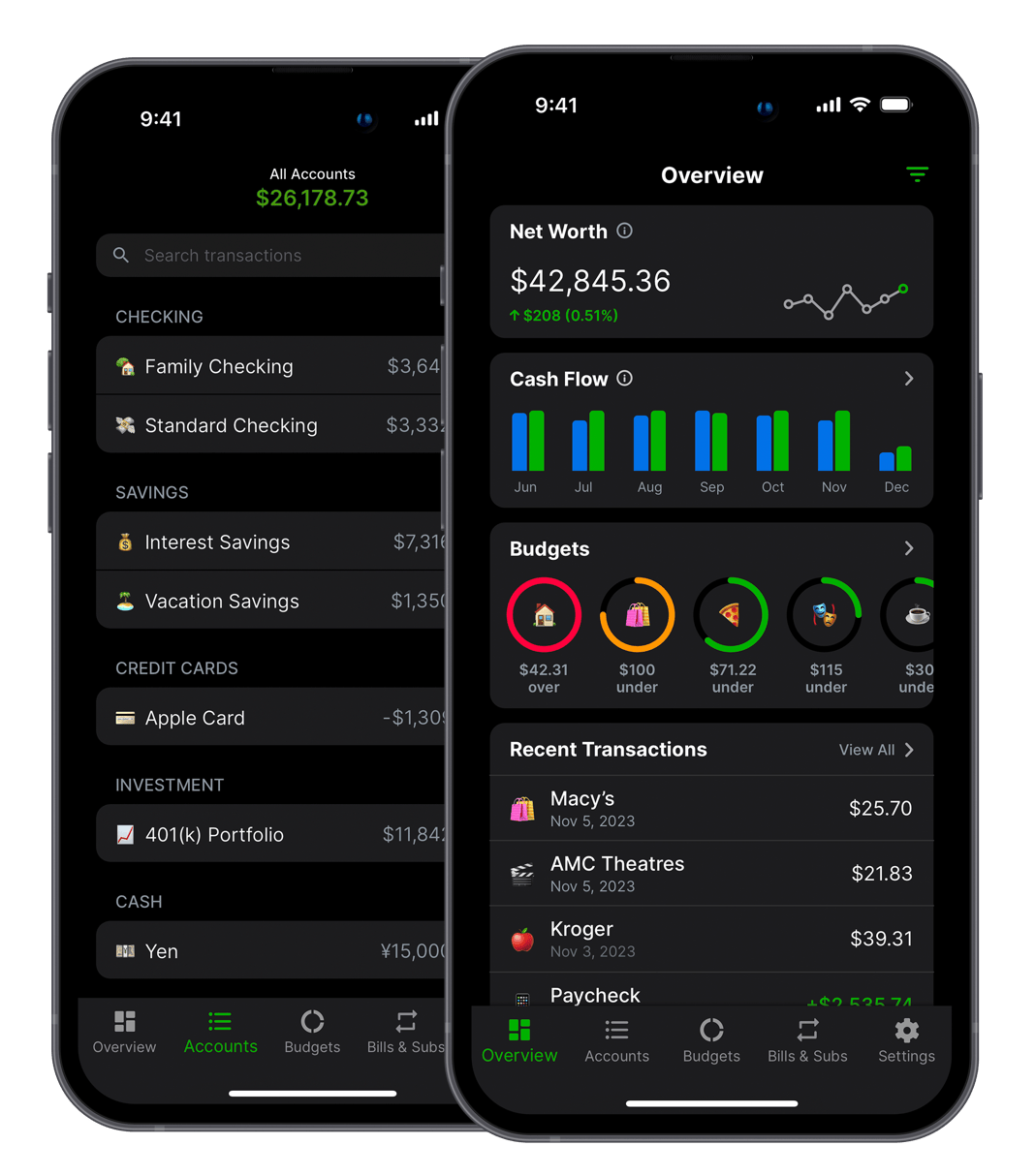

Balance Pro is a budgeting and personal finance app that helps you manage and optimize your money. Built by Jordan Kennedy in Nashville.
Download


Also from this developer

GrowthMap
GrowthMap is a tool that generates actionable growth reports for indie developers and solo founders.

Limelight
Never wonder what to watch again. Discover, track, and enjoy the best movies and shows.

Trivia Party
Trivia Party is a quiz game with over 12,000 questions across a variety of fun categories.
