


Key takeaways
- Physical bank branches and credit unions are the fastest way to deposit cash, with funds available immediately in most cases.
- ATM cash deposits are convenient but may not credit to your account until the next business day, and deposit limits vary by bank.
- Online banks without branches have four main workarounds: in-network ATMs, money orders, prepaid debit cards, and transfers from a secondary account.
- Always count your cash before inserting it into an ATM, and record the machine's location if you notice a discrepancy.
- Cash is the one transaction type most budgeting systems handle poorly, which is worth fixing separately from the deposit itself.
If you need to deposit cash into your bank account, you have more options than you probably think, but those options narrow quickly depending on what type of bank you use. Knowing how to deposit cash the right way, whether at a teller window, an ATM, or through an online bank workaround, saves you a frustrating trip or an unexpected hold on your funds.
This article walks through each method in plain terms: how it works, what to watch out for, and which situations each one handles best. I'll also cover the part most people overlook once the cash is safely deposited.
How to deposit cash at a physical bank or credit union
If you hold an account at a regional or national bank, depositing cash at any branch is the most straightforward path. Credit union members can typically deposit at their home branch or at any participating branch within a shared branching network, which covers a large portion of US credit unions.
The process itself is simple. Fill out a deposit slip with your account number and the deposit amount, hand the cash and slip to a teller, and the funds are usually credited to your account on the spot. In most cases you walk out with the money already available.
What to bring
- A government-issued ID. Most banks require it for cash deposits above a certain threshold, and some branches ask for it on any in-person transaction.
- Your account number. Either memorize it, bring a voided check, or pull it up in your bank's mobile app before you go in.
- Counted cash. Count it yourself before handing it over. Tellers recount it, but you want to know the correct total going in.
Shared branching networks for credit union members
If you belong to a credit union, look up whether it participates in the CO-OP Shared Branch network. That network includes thousands of credit union branches across the country where members from other participating credit unions can make deposits and withdrawals. It is the credit union equivalent of a national bank's branch footprint, and many people who bank with smaller credit unions do not know it exists.
How to deposit cash at an ATM
Most major banks now offer ATMs that accept cash deposits directly, without an envelope. You insert your card, navigate to the deposit option, and feed the bills into a slot. The machine counts them and displays a total for you to confirm. Standalone cash-accepting ATMs have become common enough that this is a reasonable option for routine deposits.
That said, there are a few things worth understanding before you rely on this method regularly.
Deposit slips and envelopes
Older ATMs and some smaller banks still use envelopes. The machine either dispenses one or asks you to bring your own. You place the cash and a completed deposit slip inside, seal it, and insert it into the slot. These deposits are not scanned immediately, so the hold time is longer than with newer envelope-free machines.
Deposit limits at ATMs
Banks cap how much cash you can deposit in a single ATM transaction. The limit is often expressed as a dollar amount (somewhere around $5,000 to $10,000) or a bill count (commonly 30 to 50 bills per transaction). If you need to deposit more than the machine allows in one session, you will need to either make multiple deposits or visit a teller. Check your bank's policy before you stand at the machine with a large amount of cash.
Count your cash before inserting it
Modern ATMs are accurate, but they are not infallible. Count the bills yourself before feeding them into the machine, and check the total the ATM displays before confirming the transaction. If the totals do not match, do not confirm the deposit. Note the ATM's exact location, the time, and the amount discrepancy, then contact your bank's customer service line to report it. Banks resolve these discrepancies regularly and will audit the machine's records, but you need to report it promptly.
When will ATM deposits clear?
This is the detail that catches people off guard. Unlike a teller deposit, an ATM cash deposit may not be fully available until the next business day. Some banks make a portion available immediately (often a few hundred dollars) and hold the rest. ATMs located directly at a bank branch tend to process faster than standalone machines in grocery stores or gas stations. If you need the funds available right away, a teller deposit is the safer choice.
How to deposit cash with an online bank
Online banks present a real logistical challenge here. Because they have no physical branches, there is no teller to hand cash to. The good news is that most online banks have thought about this problem and offer at least one workable path. The bad news is that none of them are quite as clean as walking up to a teller window.
Here are the four main options, roughly ranked from most to least convenient.
Option 1: Use an in-network ATM that accepts cash deposits
Many online banks partner with large ATM networks, including Allpoint, MoneyPass, and NYCE, to give customers access to fee-free cash machines. Whether those ATMs accept deposits, or only withdrawals, is a separate question. Check your bank's mobile app or website for a deposit-capable ATM locator. Some online banks, including Ally, explicitly list which machines in their network support cash deposits, while others offer withdrawal access only.
If your online bank participates in a deposit-capable network, this is the most convenient option by a wide margin. It works like any other ATM cash deposit, and the funds are posted to your online account directly.
Option 2: Deposit at a secondary account and transfer
If you have a second account at a traditional bank or credit union, deposit the cash there in person and then initiate an electronic transfer to your online bank. Transfers between banks typically complete within one to three business days, depending on whether your online bank accepts same-day ACH transfers or standard ACH. To set this up, you need your online bank's routing number and account number, which you can find in the app or on your bank's website.
Some banks charge a fee for outbound transfers, so verify the terms at both institutions before making this a regular practice. The two-step process adds friction, but it is reliable and does not require purchasing anything additional.
Option 3: Purchase a money order and deposit it remotely
You can buy a money order with cash at post offices, many grocery stores, and some check-cashing locations. Fees typically run between $1 and $2 at the post office and up to $1.50 at most grocery stores, though check-cashing stores often charge more. Once you have the money order, most online banks accept them via mobile check deposit, the same way you would photograph a personal check.
Fill out the money order payable to yourself, endorse the back, photograph both sides in your bank's app, and submit. The deposit goes through the standard check-clearing process, which usually means one to two business days before the funds are available. This method adds cost, but it is a clean option when no ATM network alternative exists.
Option 4: Load a prepaid debit card and transfer the funds
Some prepaid debit cards, including cards from Green Dot and certain Walmart MoneyCard products, let you load cash at retail registers and then transfer the balance to a linked bank account. The process is straightforward: load cash at the register, log into the prepaid card's app or website, and initiate a transfer to your online bank account.
The catch is fees. Most prepaid cards charge a cash load fee at retail locations, often around $3 to $5 per transaction. If you are regularly depositing cash, those fees accumulate. This option makes more sense as an occasional workaround than a recurring process.
The part most people miss: tracking cash after you deposit it
Getting cash into your bank account is half the problem. The other half is keeping track of what happens to it after it leaves your wallet.
Cash spending is the category that breaks most budgets. When you pay with a card, the transaction shows up in your bank feed automatically. When you pay with cash, nothing is recorded unless you record it yourself. Most people do not. The result is a monthly spending summary with a visible gap: the money went somewhere, but the records do not say where.
If you pay for things in cash regularly, whether by habit or because certain vendors prefer it, that cash needs to be tracked the same way your card purchases are tracked. That means logging the transaction yourself, either in a notes app, a spreadsheet, or a dedicated app that handles manual entry. The method matters less than the consistency.
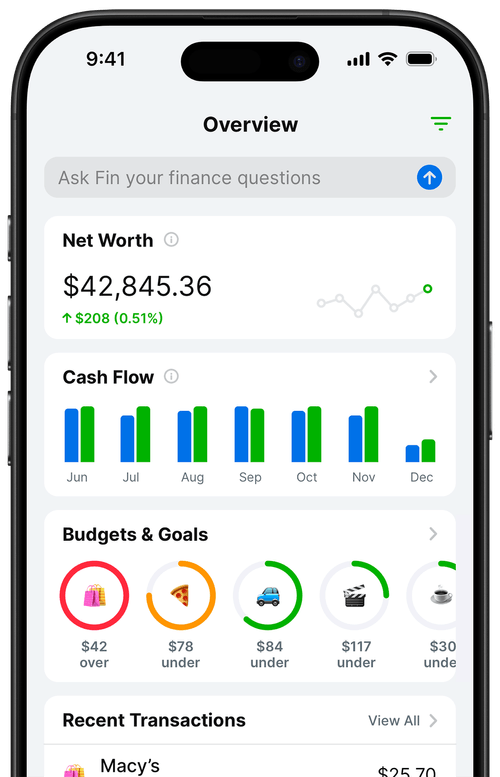
I built Balance Pro partly because I wanted a way to handle this without two separate systems. You can log cash transactions manually right alongside your bank-synced ones, and they all land in the same category view. The budget does not care whether the transaction came from a sync or from a manual entry. It just needs the data to be there.
Frequently Asked Questions
Can I deposit cash at an ATM that belongs to a different bank?
Most ATMs only accept cash deposits from account holders of the bank that owns the machine. Out-of-network ATMs typically let you withdraw cash but will not accept deposits. Check your bank's ATM locator to find machines that support deposits for your account.
How long does an ATM cash deposit take to show in my account?
ATM cash deposits often appear as pending within minutes, but funds may not be fully available until the next business day. ATMs located directly at bank branches typically process deposits faster than standalone ATMs. Bank policies vary, so check your institution's hold policy.
What is the easiest way to deposit cash into an online bank?
The easiest path depends on your bank. Many online banks partner with ATM networks like Allpoint or MoneyPass that accept cash deposits. If yours does not, depositing at a credit union or traditional bank and then transferring the funds electronically is the most reliable workaround.
Is there a limit on how much cash I can deposit at an ATM?
Yes. Most banks cap ATM cash deposits somewhere between $5,000 and $10,000 per transaction, and some machines impose a bill count limit of 30 to 50 bills. Your bank's deposit policy page or mobile app will list the exact limits for your account.
Can I deposit cash using a prepaid debit card?
Some prepaid cards let you load cash at retail locations like Walmart or CVS and then transfer funds to a linked bank account. The card's fee structure varies widely, so compare the reload fee against other options before committing to this route.
The bottom line
Depositing cash comes down to what kind of bank you use. Physical bank and credit union members have the simplest experience: walk in, hand the cash to a teller, done. ATM deposits are nearly as convenient once you understand the hold time and limits. Online bank customers need to pick a workaround that fits their situation, whether that is an in-network ATM, a money order, a secondary account transfer, or a prepaid card reload.
Once the money is in, the next step is making sure your records reflect where it goes. If you are managing a budget and cash is part of how you spend, that tracking gap is worth closing.
Related reading: