

Key takeaways
- Commingling personal and business money costs you at tax time, weakens your audit protection, and makes it impossible to know whether the business is actually profitable.
- Open a business bank account before your first payout, not after your first good month. Starting clean is dramatically easier than untangling 14 months of mixed transactions.
- Pay yourself a predictable monthly owner draw, not "whatever's left at the end of the month." The business account should absorb variance; your personal finances should be predictable.
- Set up expense categories that map to Schedule C from day one. The categories you create now determine how painful your February tax prep will be.
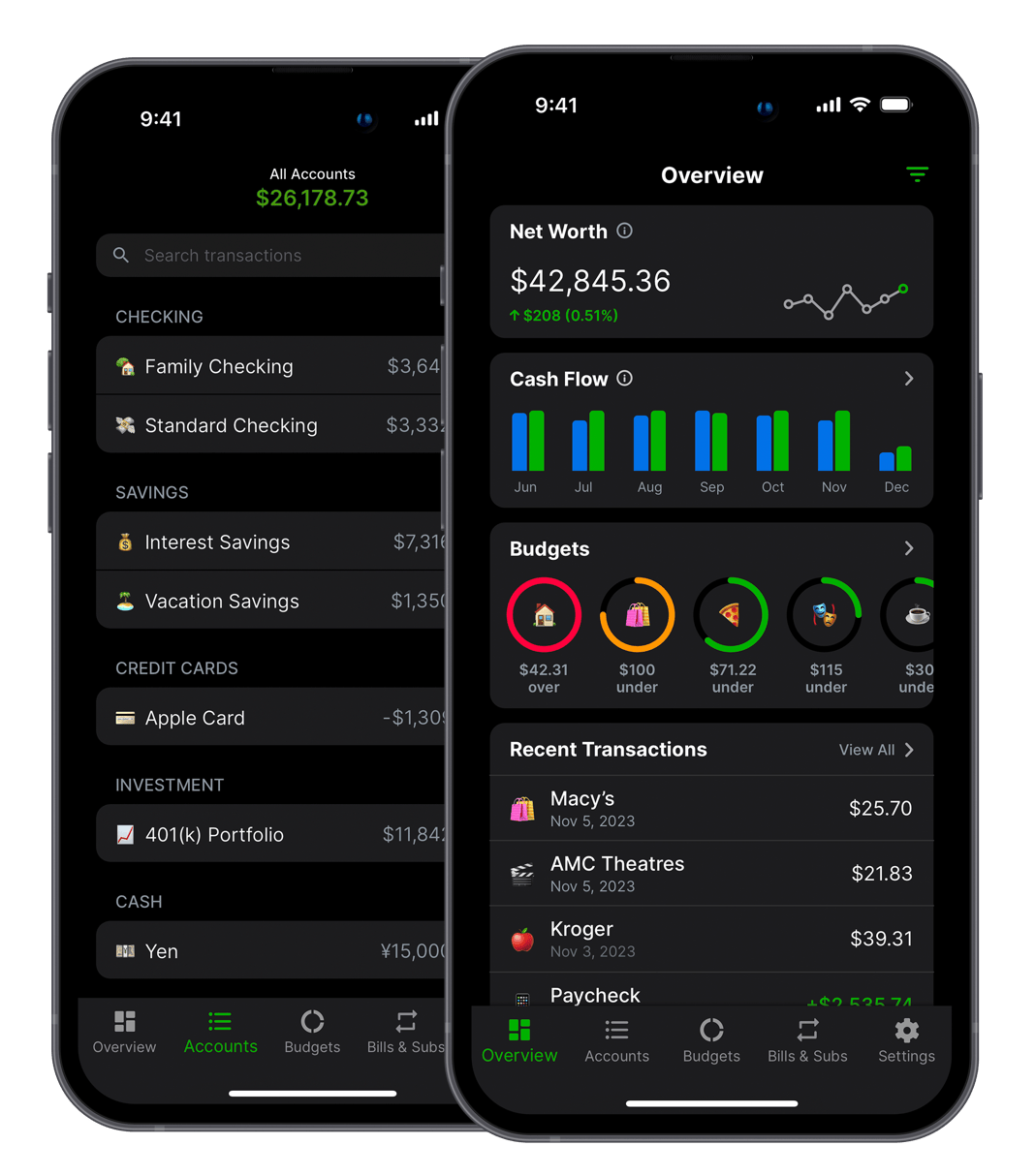
- Balance Pro's tag feature lets you track personal and business transactions in the same app while keeping them completely separated for reporting.
Most indie developers deposit their first App Store check into their personal checking account. This makes complete sense. The app just made money, there's no LLC yet, the business account feels premature for three or four digits a month. Why add friction?
The problem doesn't show up immediately. Personal and business finances blur together gradually, month by month, as the app grows. A $47 coffee charge might be a business meeting or a weekend with a friend. A software subscription might be for the app or for personal use. By the time tax season arrives, your accountant is staring at 14 months of transactions with no way to tell which bucket they belong in, and neither can you.
The IRS's standard for business deductions is contemporaneous documentation: records made at the time of the expense, not reconstructed later. A separate business account is the contemporaneous documentation. A single commingled account is the thing that gets reconstructed, which is harder, less accurate, and more expensive when an accountant bills by the hour.
This is the setup I recommend to every solo developer who asks how they should be handling the money side of their app business. It doesn't require a bookkeeper or accounting software. It does require doing it now, before the mess compounds.
Why separating finances matters more than most developers think
Three concrete reasons, not abstract accounting principles:
Tax accuracy. Business expenses are deductible on Schedule C. Personal expenses are not. If every transaction lives in the same account, every transaction requires a determination of which bucket it belongs to. That determination is your job and it's harder to do accurately from memory 11 months after the fact than it is to do in real time with a dedicated account.
Audit protection. Sole proprietors with commingled finances are harder to defend in an IRS audit. When business expenses are indistinguishable from personal spending, an auditor's job gets easier and your defense gets harder. A clean business account with clear categories creates a paper trail that's straightforward to explain. A mixed personal account requires interpretation, which creates room for disagreement.
Financial clarity. This is the reason most developers don't anticipate and then feel immediately after implementing it: if your business money is mixed with your personal money, you cannot know whether the business is profitable. "I have $9,000 in my account" doesn't tell you whether you made money this month or drew down savings. A business account with accurate cost tracking does.
How to open a business bank account (and when to do it)
When: Before your first payout. The Apple App Store has a minimum payment threshold of $1 to $10 depending on your territory. Set up the business account before you hit that threshold so the first dollar goes to the right place.
There is no revenue threshold that triggers "now you should have a business account." The right time is before you need one, for the same reason you set up version control before the first commit rather than after your first hard drive failure.
Where: These are the options most indie developers land on:
- Mercury (mercury.com): the de facto standard for indie developers and early-stage founders. Free, no minimum balance, instant account creation, excellent API access, and native integrations with Stripe and other developer tools. Best choice for most indie devs.
- Relay: another solid option with built-in envelope budgeting for business accounts, which is useful if you want the separation baked into the banking layer itself.
- Your current bank's business account: convenient if you want everything in one login, but check for minimum balance requirements. Many personal banks have $1,500 to $2,500 minimums on business accounts.
- Traditional banks: Chase, Wells Fargo, and similar banks have full business banking features and physical branches if you ever need to deposit a check in person. More friction to open, but solid infrastructure.
What you need: To open a business bank account as a sole proprietor, you need an EIN (Employer Identification Number) from the IRS, which is free to get at irs.gov/ein and takes about five minutes. You don't need an LLC. The EIN is what tells the bank you're operating a business separate from your personal finances. If you're operating under a business name other than your own, you may also need a DBA (Doing Business As) filing in your state, but many indie developers skip the DBA and use their own name as the business name initially.
How to pay yourself as a solo developer
Sole proprietors and single-member LLC owners don't receive a salary from their business in the traditional sense. Instead, they take owner draws: transfers from the business account to their personal account. There are no withholdings, no payroll taxes at the point of the draw (you handle tax obligations through quarterly estimated payments), and no required frequency. You could take a draw daily, weekly, monthly, or however you prefer.
The practice that works: decide on a monthly owner draw amount and transfer it from your business account to your personal account on a predictable schedule. Treat it like a paycheck from an employer, not like a wallet you dip into whenever you want something.
Here's how to set the amount:
- Calculate your average monthly net profit from the last three months: total payouts received minus operating costs.
- Set aside 28 to 30 percent of that for taxes (transfer it to a dedicated savings account labeled for the next quarterly payment).
- Set your monthly draw at 70 to 80 percent of the remainder, not 100 percent. Leave a buffer in the business account for months when revenue is lower than average.
If the business has a good month, don't immediately increase your draw. Let the surplus accumulate as a buffer for months when revenue falls short. If the business has a bad month, don't immediately cut your draw to zero. That's what the buffer is for. The goal is that your personal finances feel like a salary, predictable and plannable, while the business account absorbs the variance that comes with indie app revenue.
Category structure that makes taxes painless
The categories you set up today will determine how easy or miserable your February is three years from now. Here's the structure I use, which maps directly to Schedule C categories:
Income categories:
- App Store Revenue
- Google Play Revenue
- Direct Sales / Stripe
- Other Income (consulting, licensing, affiliate, etc.)
Business expense categories:
- Software Tools (design tools, analytics, productivity software)
- Cloud Infrastructure (hosting, databases, CDN, storage)
- Developer Programs (Apple $99/year, Google $25 one-time)
- Marketing and Advertising (App Store ads, newsletter tools, landing pages)
- Professional Services (accountant, lawyer, contractor work)
- Home Office (if you qualify and claim it)
- Hardware (computers and phones used primarily for development)
- Education (courses, conferences, books directly related to the business)
Tax categories:
- Federal Tax Reserve
- State Tax Reserve
Owner account:
- Owner Draw (transfers from business to personal)
If you tag every transaction consistently from day one, your accountant gets a clean Schedule C input and you don't spend three weekends in February trying to remember whether a $200 Adobe charge was deductible. The categories also let you see exactly what each cost area is running per month without adding them up by hand. For the full expanded list of what is and isn't deductible by category, see the freelancer tax deductions reference.
The monthly ritual that catches commingled spend
Even with a dedicated business account, spending occasionally bleeds across the line. A personal card used for a business dinner because the business card was in the other jacket. A business account charge for a software tool you actually use personally. These happen. The ritual below catches them before they accumulate into a mess.
Once a month, usually on the first, I spend 20 minutes on this review:
- Scan the business account for personal transactions. Anything that's clearly personal needs a note explaining why it was a business expense, or it gets reimbursed from personal to business. Be honest here. Vague "meetings" at restaurants will not survive an audit.
- Scan the personal account for business charges. Developers who use one card for everything will find these. Log them in the business category even though they hit the personal account, and add a note that they were paid personally. Reimburse from business to personal if you want clean books, or just document them.
- Confirm payouts from every platform arrived and are categorized. App Store, Google Play, and Stripe all have predictable payout timing. If a payout is missing, catch it now when you can follow up easily, not two months later when the timeline is harder to trace.
- Move the tax reserve. Transfer 28 percent of this month's net profit into the dedicated tax savings account and label it for the upcoming quarterly payment. Doing this monthly instead of quarterly keeps the amounts manageable and ensures the money doesn't get spent before it's needed.
- Confirm the owner draw. Did you pay yourself this month? If the business had an unusually good or bad month, this is the time to decide whether to adjust the draw, not mid-month when you're in the middle of building something.
The monthly review prevents drift. Without it, small inconsistencies accumulate over six months into a significant reconciliation project. With it, the books stay clean enough to hand to an accountant without embarrassment.
The Balance Pro tag scheme for indie devs
Balance Pro is designed for personal finance, but I use it to track both my personal and business finances in the same app by using tags to separate them. This works well for sole proprietors and single-member LLCs who want a single place for everything without the overhead of maintaining two separate apps.
The tag scheme I use:
- All business income tagged #biz-income
- All business expenses tagged #biz-expense
- Owner draw transfers tagged #owner-draw
- Tax reserve transfers tagged #tax-reserve
- Personal transactions left untagged (they're the default)
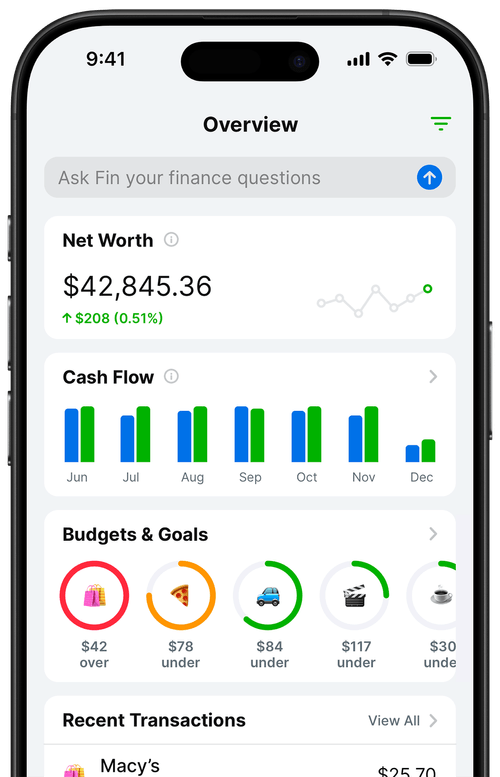
When I need a business-only view, I filter by #biz-income and #biz-expense. Balance Pro's reports let me see net cash flow by tag, which gives a clean business picture without a second app. Categories handle the "what is this expense" question. Tags handle the "which bucket does this belong to" question. The two layers together create a system that's simple to maintain and clear when you need to report on either side of the ledger.
You can connect multiple accounts in Balance Pro, so business checking, tax savings, and personal checking all appear in one dashboard. The filter keeps them separated when needed and the dashboard shows the combined picture when you want it.
The right setup at every revenue level
$0 to $500 MRR
Open a business checking account and get an EIN before the first payout. Connect the business account in Balance Pro. Log every payout and every business expense with the correct category and tag. Set a tax reserve savings goal at 28 percent of revenue. You don't need an accountant yet, but you're setting up the records so that when you do, the handoff is clean.
$500 to $5K MRR
Everything above, plus: start taking a predictable monthly owner draw. Open a dedicated tax savings account separate from your operating account. Review the expense categories to make sure they still reflect what the business is actually spending money on. Verify whether quarterly estimated tax payments are now required (they are once you expect to owe more than $1,000 in federal tax). If you're not sure, the answer is probably yes.
$5K to $20K MRR
Everything above, plus: talk to a CPA if you haven't. At this revenue level the tax complexity exceeds what most developers can navigate well on their own. An S-corp election might make sense. The QBI deduction (up to 20 percent of qualified business income) is almost certainly relevant. The self-employment tax deduction cuts your SE tax burden in half. These are real dollars, and a good CPA pays for themselves at this revenue level. Make sure your Balance Pro records are clean enough to hand off, because they should be the primary input to that conversation.
For a deeper look at what you actually owe and how to handle quarterly estimated payments, I covered the full picture in taxes for solo app developers.
Frequently Asked Questions
Do I need an LLC to open a business bank account?
No. Sole proprietors can open a business bank account using an EIN and their own name as the business name. You can get a free EIN from irs.gov in about five minutes. An LLC is not required, though it does provide liability protection that a sole proprietorship does not. Most indie developers start as sole proprietors and consider an LLC once they have consistent revenue.
What's the best bank account for indie developers?
Mercury is the most commonly recommended business bank account for indie developers and founders: free, no minimum balance, instant account creation, and strong integrations with Stripe and Plaid. Relay is a solid alternative with built-in envelope budgeting. Traditional banks work but often have minimum balance requirements and less developer-friendly infrastructure.
How do I pay myself as a solo app developer?
Sole proprietors and single-member LLC owners pay themselves through owner draws: transfers from the business account to the personal account. Decide on a monthly amount based on average net profit after costs and tax set-aside, then transfer it on a predictable schedule. Treat it like a paycheck, not a discretionary withdrawal. "Whatever's left at the end of the month" is not a compensation strategy.
Can I use one app to track both personal and business finances?
Yes. Balance Pro lets you connect multiple accounts and use tags to separate business and personal transactions within the same app. Tag business income and expenses with a business tag, and filter by tag when you need a business-only view. This works well for sole proprietors and single-member LLCs who want one place for everything without maintaining two separate apps.
When should I start separating personal and business finances?
Before your first payout. The Apple App Store has a minimum payout threshold of $1 to $10 depending on your region. Set up a business bank account before you hit that threshold so the first dollar goes to the right place. Starting clean is significantly easier than untangling 14 months of commingled transactions at tax time, and it only gets harder the longer you wait.