

Key takeaways
- App Store Connect shows gross revenue. After Apple's 30% cut (15% for Small Business Program), your operating costs, and your tax set-aside, the number you actually keep is typically 40 to 55 cents on every dollar reported.
- Most indie developers track income from one channel and ignore three others. Multi-channel revenue needs a category for each: App Store, Google Play, Stripe, Gumroad, and any others you use.
- The costs most indie devs miss: annual subscriptions that hit once a year, cloud infrastructure that scales with users, and contractor work that doesn't feel like a "business expense" in the moment.
- Self-employment tax is 15.3 percent of net profit before income tax. Set aside 25 to 30 percent of net profit every month, not every quarter.
- A 15-minute first-of-month review catches payout delays, cost creep, and tax reserve shortfalls before they compound.
Every developer I know celebrates App Store revenue milestones. "I hit $5K MRR." The number feels real and concrete, because it is. It is also not the number that determines whether you can make rent, invest in the business, or quit your job.
After Apple or Google takes their 30 percent, payment processing fees come off, then your operating costs, then your self-employment tax obligation. By the time the dust settles, what the dashboard reported and what you actually made are separated by a gap that regularly surprises developers who haven't done the math explicitly. I've watched people make major decisions based on a gross revenue number while running at a loss on a net basis, and it never ends well.
This is the system I use to track indie app finances accurately across every channel, in a way that doesn't require an accountant or accounting software. If you ship apps for a living, or want to, this is the complete picture.
Why App Store revenue numbers are misleading
When App Store Connect reports $1,000 in sales for the month, what you actually receive is $700. Apple takes 30 percent of each transaction as their platform fee, or 15 percent if you qualify for the Small Business Program (available to developers earning less than $1 million annually from the App Store). The $700 is your gross payout, not your income.
From that $700, subtract:
- Apple Developer Program fee: $99/year, or about $8 per month when amortized
- Cloud infrastructure scaled to your user count (hosting, database, APIs, CDN)
- Third-party SDKs and tools with subscription pricing
- Design tools, analytics, customer support infrastructure
- Contractor work if you're not building everything solo
- Tax set-aside: 25 to 30 percent of what's left
After all that, your real net income from a $1,000 sales month might be $300 to $450. That's not a catastrophe if you planned for it. It's a significant problem if you made a hiring, hardware, or lifestyle decision based on the $1,000 number.
How to track revenue across every payout channel
Most indie developers who earn from more than one source track only the biggest one carefully and let the others be approximate. That approximation compounds over time. Here's how each major channel works and what you need to log correctly.
App Store (Apple)
App Store Connect reports "Proceeds," which is already after Apple's cut. Payouts arrive monthly, typically in the last week of the following month, directly to your bank account. Paid app sales, subscriptions, and in-app purchases show separately in the dashboard but arrive in a single monthly deposit. Consolidate them into one "App Store Revenue" income category in your tracking. Log the payout when it arrives in the bank, not when it's reported in the dashboard, because there's a 30-day lag between the two and reconciling against what you actually received is more accurate.
Google Play
Same 30/15 fee structure as Apple. Play Console shows earnings during the month, but the payout arrives mid-month of the following month. Log it when deposited. Create a "Google Play Revenue" category separate from App Store so you can see channel mix over time. If App Store is consistently 80 percent of revenue and Google Play is 20 percent, that's strategic information worth tracking.
Stripe
If you sell direct web app subscriptions or one-time purchases outside the app stores, Stripe takes 2.9 percent plus $0.30 per successful transaction. Payouts land in your bank account every two business days by default. The Stripe fees come off each transaction automatically, so the amount deposited is already net of fees. Create a "Stripe Revenue" or "Direct Sales" income category and log deposits as they arrive. Don't try to reconcile against Stripe's gross revenue reports, because the fee deduction will make the numbers appear off.
Gumroad
Gumroad charges a 10 percent fee on each sale, paid out monthly on the first of the month. If you're selling digital goods like templates, presets, or downloadable tools alongside your apps, this is a common additional channel. Create a "Gumroad Revenue" category and log the monthly payout. Gumroad also handles sales tax collection in some jurisdictions, which simplifies that compliance burden.
Other channels
Platforms like Paddle, Lemon Squeezy, and FastSpring operate as Merchants of Record, meaning they handle VAT and international tax compliance on your behalf. Their fees are typically higher than Stripe (6 to 10 percent of revenue) but include the compliance overhead. If you use them, log each payout as its own income category and note the effective fee rate, because it affects your net revenue calculation.
The discipline that ties all of this together: log each payout when it arrives in your bank account, in a category named for the source. After three months you'll have a clear picture of which channels are growing, which are stable, and which contribute enough to be worth the operational overhead of maintaining them.
What costs are indie developers actually paying?
The income side gets tracked, at least roughly. The cost side is where most indie devs lose visibility, usually through a combination of annual charges that feel invisible most of the year and recurring infrastructure costs that scale silently as the user base grows.
Development and platform costs
Apple Developer Program: $99/year. Google Play Developer account: $25 one-time. Xcode Cloud or other CI/CD infrastructure for automated testing. Third-party SDKs that have subscription tiers. Design tools. Version control and deployment tools. These are the predictable costs. The tricky one is any SDK that has a free tier until you hit a usage threshold, then charges based on active users. Flag those and check monthly.
Infrastructure costs that scale
Cloud hosting, database fees, storage, CDN, and API usage all tend to scale with your user base. An app with 500 users has a different infrastructure bill than the same app with 5,000 users. When you're growing, infrastructure costs can increase faster than revenue if you haven't planned the unit economics. Log these monthly and watch the trend against revenue growth. If infrastructure costs are growing faster than revenue, that's a conversation worth having before it becomes a constraint.
The invisible annual costs
The subscriptions that hit once a year are the ones most developers fail to account for monthly. The solution is simple: take every annual charge, divide by 12, and add that amount to your monthly cost tracking. If your design tool costs $144 a year, that's $12 a month in your operating costs, every month, not just in the month it renews. This turns invisible annual costs into visible monthly costs and makes your runway calculation accurate.
Marketing, professional services, and contractors
App Store advertising, newsletter tools, landing page software, contractor design or development work, accountant fees, and legal review all belong in your cost tracking. Contractor work is the one most indie developers undercount, because a single project often crosses month boundaries and the expense feels like a one-time event rather than an operating cost. Log it when you pay it and categorize it clearly.
The real profit formula
Here's the calculation I use every month:
The App Store dashboard reported $3,800 in payouts. The real number you can make decisions from is $2,367, which is 62 percent of what the platforms reported. Knowing that doesn't make the business worse. It makes your decisions more accurate, and accurate decisions compound in the right direction.
Tax implications you can't ignore
Self-employment tax is 15.3 percent of net profit, before income tax. If you have no W-2 income and your entire income is from apps, expect to set aside 25 to 35 percent of net profit depending on your total annual taxable income. The right number for most indie developers landing in the $50K to $150K net profit range is around 28 percent.
Quarterly estimated tax payments are due in April, June, September, and January. Missing them triggers an IRS underpayment penalty, currently around 8 percent annualized on the underpaid amount. The safe harbor rule: pay at least 100 percent of last year's total tax liability (110 percent if your adjusted gross income exceeded $150,000 last year) and you avoid the penalty even if you owe more when you file. If it's your first year with significant self-employment income and you have no prior year tax liability to base safe harbor on, estimate conservatively and pay quarterly.
What you can deduct: the Apple Developer Program fee, hardware used primarily for development (under Section 179 or bonus depreciation), home office (actual expenses or the simplified $5/sq ft method), cloud infrastructure, software subscriptions, professional services, and a portion of phone and internet costs. For a more detailed breakdown, I covered indie dev deductions in the taxes for solo app developers post.
Spreadsheet vs a dedicated app: the honest comparison
I want to be straightforward about this, because "just use a spreadsheet" is the most common advice given to developers who haven't tried running one for more than three months.
Spreadsheets are genuinely useful for financial modeling: pricing scenarios, break-even analysis, projecting what revenue needs to be before you can quit your job. These are one-time calculations where the data is controlled and the model doesn't need to stay current. A spreadsheet is the right tool for that job.
Spreadsheets break down as ongoing financial tracking tools for a few predictable reasons. Manual entry doesn't survive a product launch or a busy month. The data lives on one device and doesn't follow you. When costs change because an SDK upgraded your tier, the spreadsheet doesn't know and you won't catch it until you open it and remember to check. Most of the spreadsheets I've seen in use by indie developers are accurate through March and then quietly abandoned by May.
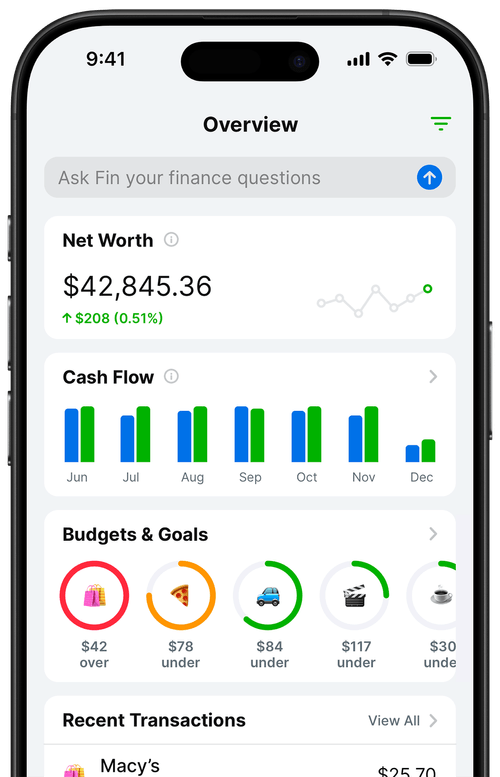
A budgeting app connected to your bank accounts pulls transactions automatically, categorizes them (or learns to after a few corrections), and keeps your numbers current without a weekly maintenance session. The tradeoff is that you don't get custom formulas. For most indie developers tracking multi-channel income and a dozen cost categories, that tradeoff is clearly worth making. The spreadsheet you don't maintain is worse than the app you actually use.
The 15-minute monthly review ritual
I do this on the first of every month. It catches every category of financial problem before it compounds, and it takes exactly as long as the name implies.
- Confirm payouts received from every platform. App Store pays in the last week of the following month. Google Play pays mid-month of the following month. Stripe pays on a rolling two-business-day schedule. Cross-reference what you received against what each platform reported. A missing or delayed payout is worth catching immediately, not three months later when you've already adjusted your budget.
- Log any annual costs that hit this month. Annual subscriptions hit in predictable months if you know your own calendar. Note them, confirm the category is correct, and verify the amount matches what you budgeted. If a subscription renewed at a higher tier without notice, catch it now.
- Calculate this month's net profit. Total payouts received minus total costs. Compare against last month and the month before. If it's down significantly, dig into whether revenue fell or costs rose. Those two causes have different responses.
- Check the tax reserve. Is the set-aside balance on track for the next quarterly payment? If profit was lower than expected, the reserve will be short. Make up the gap now while you can plan around it, rather than scrambling in April.
- Update your runway number. Total liquid cash divided by average monthly burn across the last three months. If runway is below five months, that's a flag worth sitting with before making any discretionary spending decisions this month.
That's the complete review. The goal is not to obsess over numbers. It's to maintain a current picture so you can make decisions from real information, not from a vague sense of how things are probably going. I've found that developers who skip this review for more than two months tend to find surprises. The surprises are almost always bad.
Set this up today
If you want the tracking system running by the end of the day:
- Open Balance Pro and create an account. Premium ($47.99/year) handles manual tracking across all the categories described in this guide. Ultra ($99.99/year) adds Plaid-powered automatic bank sync if you want transactions to import without manual entry.
- Create income categories for each payout channel you use: App Store, Google Play, Stripe, and any others. Name them the way you think about them, not the way an accountant would.
- Create cost categories that map to your actual expenses: infrastructure, tools, developer programs, marketing, professional services, and contractor work.
- Set a tax reserve savings goal at 28 percent of net profit. Every time a payout arrives, calculate 28 percent of your estimated net for the month and set it aside in a dedicated savings account. The goal tracks your progress toward the next quarterly payment.
- Schedule the first-of-month review as a recurring calendar event. Fifteen minutes. That's the entire maintenance budget for this system.
The App Store will keep reporting gross revenue that looks better than the reality. That's not a problem as long as you have a system running underneath it that shows you the real number. The developers I know who are most financially clear-headed about their businesses are not the ones with the highest revenue. They're the ones who know what they actually made last month without having to guess.
Frequently Asked Questions
How do I track revenue from multiple app stores?
Create a separate income category for each payout channel: App Store, Google Play, Stripe, Gumroad, and any other platform you sell through. Log each payout when it arrives in your bank account (not when it's reported in the dashboard), because the 30-day lag between reporting and deposit trips up most developers who reconcile against platform reports.
What percentage of App Store revenue do I actually keep?
Apple takes 30 percent of each sale (15 percent if you qualify for the Small Business Program with less than $1 million in annual revenue). After Apple's cut, subtract operating costs and a 25 to 30 percent tax set-aside on net profit. The number you actually keep is typically 40 to 55 percent of what App Store Connect reports, depending on your cost structure.
How much should I set aside for taxes as an indie app developer?
Set aside 25 to 30 percent of net profit (revenue minus operating costs) every month. Self-employment tax is 15.3 percent of net profit, plus federal and state income tax on top. The working number for most US-based indie developers is 28 percent of net profit. Pay quarterly estimated taxes in April, June, September, and January to avoid IRS underpayment penalties.
What's the best way to track indie developer finances without QuickBooks?
A budgeting app with category tagging handles most of what a sole proprietor or single-member LLC needs. Set up income categories for each payout channel, cost categories that map to Schedule C deductions, and a tax reserve savings goal. Balance Pro does this without the complexity of small business accounting software, and runs on iOS, Android, and web so your numbers are accessible anywhere.
How often should I review my indie app finances?
A 15-minute review on the first of every month is enough for most indie developers. Confirm payouts arrived, check costs for anything unexpected, update the profit calculation, verify the tax reserve is on track, and check runway. That cadence catches problems before they compound without requiring daily attention to the numbers.