


Key takeaways
- eBay receipts live in your account under My eBay > Purchase History. Click any order, then "View order details" to get the full transaction record.
- You can print or save the order details page as a PDF directly from your browser. No separate download step required.
- If you need a more formal invoice, message the seller through eBay's messaging system and request one with your order number.
- eBay confirmation emails double as receipts. Search your inbox for "eBay order confirmed" to find them instantly.
- Guest purchases are tied to your email address. Contact eBay support with your email and purchase date to retrieve records if you did not have an account.
If you need to get a receipt from eBay, the process is straightforward once you know where the order history lives. Most people land on the purchase history page and find their receipt in under a minute. The friction usually comes from one of two situations: you need something more formal than the basic order details page, or the purchase was made as a guest and the receipt never made it to a folder you can find. This guide covers both, along with what to do when you need documentation that holds up for a business expense or tax filing.
How do you find a receipt on eBay after a purchase?
Every completed eBay purchase lives in your account's purchase history, and it stays there indefinitely. Here is the exact path to get there:
- Log in to your eBay account. Go to ebay.com and sign in with your username or email and password.
- Open My eBay. Hover over the "My eBay" tab in the top-right corner of the page. A dropdown appears. Click "Purchase History" from that menu.
- Find the transaction. The purchase history page shows your orders in reverse chronological order. Scroll through the list or use the search bar at the top of the page to find the item by keyword or item number.
- Open the order details. Click "View order details" next to the transaction you need. The order details page is your receipt. It shows the item title, item number, purchase price, shipping cost, payment method, seller name, and your shipping address.
That order details page is what eBay uses as the official record of the transaction. It is not formatted like a traditional paper receipt, but it contains all the same information: what was purchased, how much was paid, when the order was placed, and how it was paid for.
One thing worth knowing: if you bought from multiple sellers in separate transactions, each one has its own order details page. eBay does not combine purchases into a single receipt the way a traditional retailer does at checkout. Each item or bundle from a single seller is its own record.
How do you print or save an eBay receipt?
Once you are on the order details page, you have two practical options: save it as a PDF or print it as a physical copy.
Saving as a PDF
This is the better option for most purposes, especially if you are tracking expenses digitally or need to attach documentation to a reimbursement request. From the order details page, open your browser's print dialog. On a Mac, that is Command + P. On Windows, it is Ctrl + P. In the print dialog, change the destination from your printer to "Save as PDF," then click Save. Name the file something useful, like the order number or item name, so you can find it later.
Printing a physical copy
If you need a paper copy, the same print dialog works. Just leave the destination set to your printer and click Print. The page will format to a standard 8.5 x 11 sheet, though eBay's order details page is not specifically designed for printing, so expect a bit of extra whitespace and navigation elements in the output.
Checking your confirmation email
eBay sends an order confirmation email to your registered email address every time a purchase goes through. That email includes the item name, price, seller information, shipping cost, payment method, and estimated delivery date. In many cases, that email is easier to find than logging back into eBay, and it works just as well as documentation. Search your inbox for "eBay order confirmed" and you should be able to pull up any past order quickly.
Requesting an invoice from the seller
For more formal documentation, especially if you are purchasing for a business and need a proper invoice with seller contact information, you can message the seller directly through eBay's messaging system. Navigate to the order details page, find the seller's name, and click "Contact seller." Request an invoice in the message and include your order number. Most sellers will send one. This is especially useful for purchases where the seller is a business rather than a private individual.
Can you use an eBay receipt for a business expense or tax deduction?
The short answer is yes, with some caveats. If you purchased something on eBay that qualifies as a legitimate business expense, the order details page is generally sufficient documentation for your records. The IRS requires that you keep records showing the amount spent, the date, the vendor, and the business purpose. The eBay order details page covers the first three. The business purpose is something you need to note yourself.
For most routine business purchases under a few hundred dollars, the eBay order details page saved as a PDF, combined with a note about the business purpose, is adequate documentation. For larger purchases, pairing the eBay receipt with a credit card or bank statement showing the matching charge strengthens the paper trail.
A few practical points worth keeping in mind:
- The seller matters. Purchases from registered business sellers on eBay are generally easier to document than purchases from private individuals. Private sellers typically cannot issue formal invoices, so the order details page is all you will get.
- Used goods are deductible at fair market value. If you buy used equipment or supplies for your business on eBay, the purchase price you paid is the deductible amount, regardless of what the item originally cost new.
- Keep the records for at least three years. The IRS generally has three years from the filing date to audit a return, so keep documentation at least that long. Seven years is safer if the deduction is significant. eBay keeps purchase history accessible in your account indefinitely, which makes it reasonable to rely on that as your archive, but exporting a PDF copy you control is a better habit.
If you have specific questions about whether a particular eBay purchase qualifies as a business expense, that is a conversation for a tax professional who knows your situation. The documentation side is straightforward; the qualification side depends on your business structure and how the item is used.
What if your eBay receipt is missing or the order details are incomplete?
There are a few scenarios where the standard path does not work cleanly, and each has a different fix.
You made the purchase as a guest
Guest purchases are not attached to an eBay account, so they will not show up in your purchase history. Your best starting point is the order confirmation email eBay sent to your email address at the time of purchase. Search for "eBay order confirmed" in your inbox, filtered to around the date you made the purchase.
If you cannot find that email, contact eBay customer support. Go to the eBay Help Center and start a chat or call. Give them your email address and the approximate date and item name. They can look up guest orders tied to your email and provide transaction details.
The order is not showing up in purchase history
If you are logged in and a past order is not appearing, check two things: first, make sure you are logged into the correct eBay account. It is easy to have multiple accounts under different email addresses. Second, check the date range filter on the purchase history page. The default view may not go back far enough to show older orders. There is typically a dropdown that lets you select a custom date range or view orders older than two years.
The seller's information is incomplete
Occasionally, a seller's account gets closed or removed from eBay, which can make the order details page look sparse. The core transaction data, including the price, date, payment method, and item description, should still be there. If you need seller contact information and the seller's account is no longer active, eBay's customer support can sometimes help retrieve that for verified purchases.
You need a receipt in a specific format
eBay's order details page is not going to match a standardized invoice template. If your employer's expense reimbursement system or an external authority requires a specific format, your options are: ask the seller for a formatted invoice (works best with business sellers), or supplement the eBay order details with a note documenting the business purpose and attach both. Most expense systems accept PDFs from online retailers without requiring a traditional formatted invoice.
How do you organize eBay receipts alongside all your other expenses?
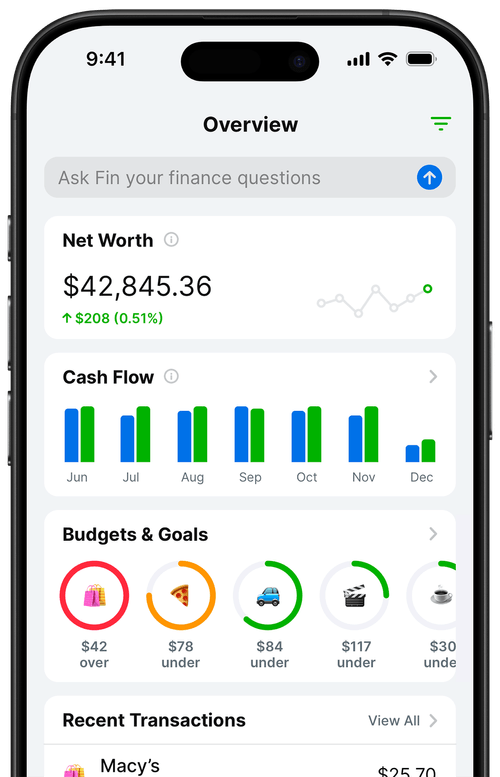
Pulling a receipt from eBay is easy enough to do one at a time. The harder problem is building a system where every purchase, from every source, ends up somewhere useful. eBay receipts are one piece of that puzzle, alongside purchases from Amazon, subscriptions, in-store transactions, and anything else that shows up on your bank or card statement.
The simplest approach that actually works is a two-part system: a designated receipts folder on your computer or in cloud storage, and a spending tracker where you log or import every transaction. Each eBay purchase gets a PDF saved to the receipts folder, named clearly (for example: "ebay-2026-03-15-office-chair.pdf"), and a corresponding entry in the tracker with the category, amount, and a brief note on what it was for.
That combination handles the two main use cases: you can search for a specific receipt when you need it, and you have a running record of spending that you can review weekly or pull up at tax time without scrambling.
The receipts folder approach works well for one-off purchases. Where it breaks down is scale. If you buy frequently on eBay, or you are tracking dozens of expense categories across multiple income streams, manually saving and categorizing each receipt gets tedious fast. That is where automatic bank sync or a dedicated expense tracker earns its keep, because the transaction log stays current without requiring you to remember to update it after every purchase.
One habit that makes a real difference: do the filing the same day you make the purchase. Waiting until you need the receipt, weeks or months later, is how receipts end up lost. The five seconds it takes to save a PDF and log the transaction is nothing compared to the time spent hunting for documentation later.
Frequently Asked Questions
How far back can I access eBay purchase history?
eBay keeps your full purchase history accessible from your account indefinitely. You can scroll back through years of orders using the Purchase History page, and filter by date range to narrow down specific time periods. The default view may only show recent orders, so look for a date range dropdown or filter option to see older transactions.
Does eBay send a receipt by email?
Yes. eBay sends an order confirmation email when you complete a purchase. That email includes the item name, price, seller, shipping cost, and payment method. Search your inbox for "eBay order confirmed" to find it. If you use Gmail, the Purchases tab may have captured it automatically.
Can I get an invoice from an eBay seller?
Yes. Message the seller through eBay's messaging system and ask them to send an invoice or formal receipt. Most sellers will oblige, especially for business purchases. Include your order number in the message. Note that private individual sellers may not be able to provide a formatted invoice, but business sellers usually can.
Are eBay receipts valid for tax deductions?
Generally yes, if the purchase is a legitimate business expense. The eBay order details page serves as documentation of the transaction. For larger deductions, consider pairing it with a bank or credit card statement showing the matching charge. A note documenting the business purpose is also useful to keep with the receipt.
What if I bought something as a guest on eBay and need a receipt?
Guest purchases are tied to your email address. Check your inbox for the eBay order confirmation email sent at the time of purchase. You can also contact eBay customer support with your email address and approximate purchase date to retrieve order details.
How do I save an eBay receipt digitally?
Open the order details page and use your browser's print function (Command + P on Mac, Ctrl + P on Windows), then choose "Save as PDF" as the destination. Alternatively, take a screenshot of the page. Save both to a dedicated receipts folder or import them into an expense tracking tool so they are easy to find later.