

Key takeaways
- Five numbers tell you almost everything about a one-person business: revenue, costs, net profit, runway, and trend. Anything else is decoration.
- Stripe shows you what came in. It doesn't show you what's left, what's coming out, or how long the cash you have will last.
- Spreadsheets work for about eleven weeks and then quietly die. The dashboard you'll actually use is the one that updates without you.
- Runway is the single most clarifying metric a solopreneur can track. Three months of runway and four months of runway feel completely different to make decisions from.
- Trend across three to six months matters more than any single month. One good month is a week. Three good months is a business.
Two summers ago I was sitting in a coffee shop staring at my Stripe dashboard, feeling pretty good. Revenue had been up for the third month in a row. I bought a new keyboard on the walk home.
Three weeks later I logged into my checking account to pay a quarterly tax bill and realized I had almost nothing left. Not because the business had fallen off, but because I'd never actually looked at what was leaving the account. The Stripe number told me one true thing about my business and roughly seven untrue things about my finances. I'd been mistaking it for a dashboard.
That afternoon is the reason I built the system in this article. If you run a one-person business, you don't need a finance team. You don't need QuickBooks. You need five numbers in one place, updated automatically, that you can glance at on a Monday morning and know whether you're okay.
What are the five numbers every solopreneur needs?
The numbers below are not the only metrics that matter. They're the ones that, when you see them together, will catch every category of problem a solopreneur runs into before it becomes a crisis. Anything else you track is a nice-to-have on top of these.
1. Monthly revenue
This is the easy one. Total dollars in across every income source for the current month. Stripe payouts, App Store deposits, consulting invoices, affiliate income, the random Patreon tier. The trick is making sure you're capturing all of them in one place, not just the biggest one. A solopreneur with three income streams who only watches one is making decisions on partial data.
2. Monthly costs
Everything that left the business this month. Software subscriptions, payment processing fees, contractors, hosting bills, your own draw if you pay yourself a salary, professional services. Most solopreneurs underestimate this number by 20 to 40 percent because they forget the small annual subscriptions that hit once a year and feel invisible the other eleven months. Track them anyway. Annualize them and divide by twelve so they show up every month, not just in the month they bill.
3. Net profit
Revenue minus costs, including a tax set-aside. This is the number most one-person businesses skip, and it's the most important one. Net profit is what your business actually generated. If your revenue is $8,000 and your costs are $3,200 and you set aside 28 percent of revenue for taxes, your real net profit is around $2,560. Not the $8,000 your Stripe screen brags about.
4. Runway
How many months your current cash will last if revenue went to zero today. Total liquid cash divided by average monthly burn. If you have $18,000 in the bank and your costs (business and personal combined) are $3,000 a month, you have six months of runway. Knowing this number changes how you make decisions. A solopreneur with two months of runway should not buy a new MacBook this week. A solopreneur with eight months can.
5. Trend
The direction the first four numbers are moving across the last three to six months. A single month tells you almost nothing. One viral tweet, one big consulting check, one product launch can swing a month by 50 percent in either direction. The trend smooths out the noise and shows you whether the business is actually growing, holding, or quietly declining. If revenue is flat but costs have climbed two months in a row, the trend caught a problem the monthly view would have missed.
Here's what those five numbers looked like for a recent month, broken out:
Revenue looked great. Net profit was a third of revenue. Runway was healthy. The trend was up. Five lines, all the information I need to know I can keep building rather than scrambling.
Why do spreadsheets fail at this?
I am not anti-spreadsheet. I love a good spreadsheet. I have one for tracking apps I've shipped, one for my reading list, and one I use to model pricing changes before I push them. Spreadsheets are excellent tools for one-time analysis.
They are bad tools for running a business dashboard. Three reasons, in order of how often they kill the spreadsheet:
Manual entry doesn't survive a busy month. The spreadsheet works fine for the first two months. By month three you've shipped a launch, taken on a contract gig, or had a kid get sick, and you skipped a week of entries. By month four the gap is too big to backfill. By month five the spreadsheet is closed and you tell yourself you'll start a new one in January. Most spreadsheets I've seen die between weeks 9 and 14. The pattern is too consistent to ignore.
It doesn't follow you. The spreadsheet lives on a laptop. The phone version is unusable. The version you share with your accountant is six weeks out of date. You can't glance at runway from your couch without opening a tab. The friction adds up to "I'll check it later," which means never.
The math gets stale. Costs change. A subscription you forgot about renews at a higher tier. A new contractor starts on retainer. Your spreadsheet still shows last quarter's burn. The runway number is wrong by 15 percent and you don't know it. A dashboard that pulls from your accounts catches the change automatically. A spreadsheet only catches it when you open it and remember.
None of these are fixable. They're inherent to running a manual system in a life that has interruptions. The dashboard that solves all three is the one connected to the source data, not the one that depends on you typing into it every Friday afternoon.
How do you build the dashboard in Balance Pro?
The setup takes about 30 minutes the first time and 5 minutes a week after that. Here's the order I recommend, because each step builds on the one before it.
Step 1: Connect every account that touches the business
Business checking, personal checking if you mix them (most solopreneurs do, and that's fine if you tag transactions properly), the credit card you use for software, the savings account where your tax reserve lives. Balance Pro Ultra connects via Plaid and pulls transactions automatically. Premium works manually if you'd rather not connect accounts. Either way, the goal is one place that sees everything.
Step 2: Set up income categories that match your sources
Don't lump revenue. Create a category for each meaningful source: "App Store," "Stripe Subscriptions," "Consulting," "Affiliate," and so on. When a deposit arrives, tag it. After three months you'll see the mix shift and notice which channel is actually growing. Lumping everything into "Revenue" hides this.
Step 3: Set up cost categories that match your reality
Software, contractors, payment processing, hosting, professional services, your own owner's draw if you pay yourself one. Annualize the yearly subscriptions and split them across twelve months in the budget so they show up every month rather than ambushing you in May.
Step 4: Create a tax reserve goal
Set a savings goal called "Tax Reserve" with a target equal to 25 to 30 percent of revenue, depending on your bracket. Every time a payout arrives, transfer that percentage to a separate savings account and tag it. The goal tracks your progress toward each quarterly estimated payment and you stop carrying the IRS's money in your operating account.
Step 5: Configure the dashboard view
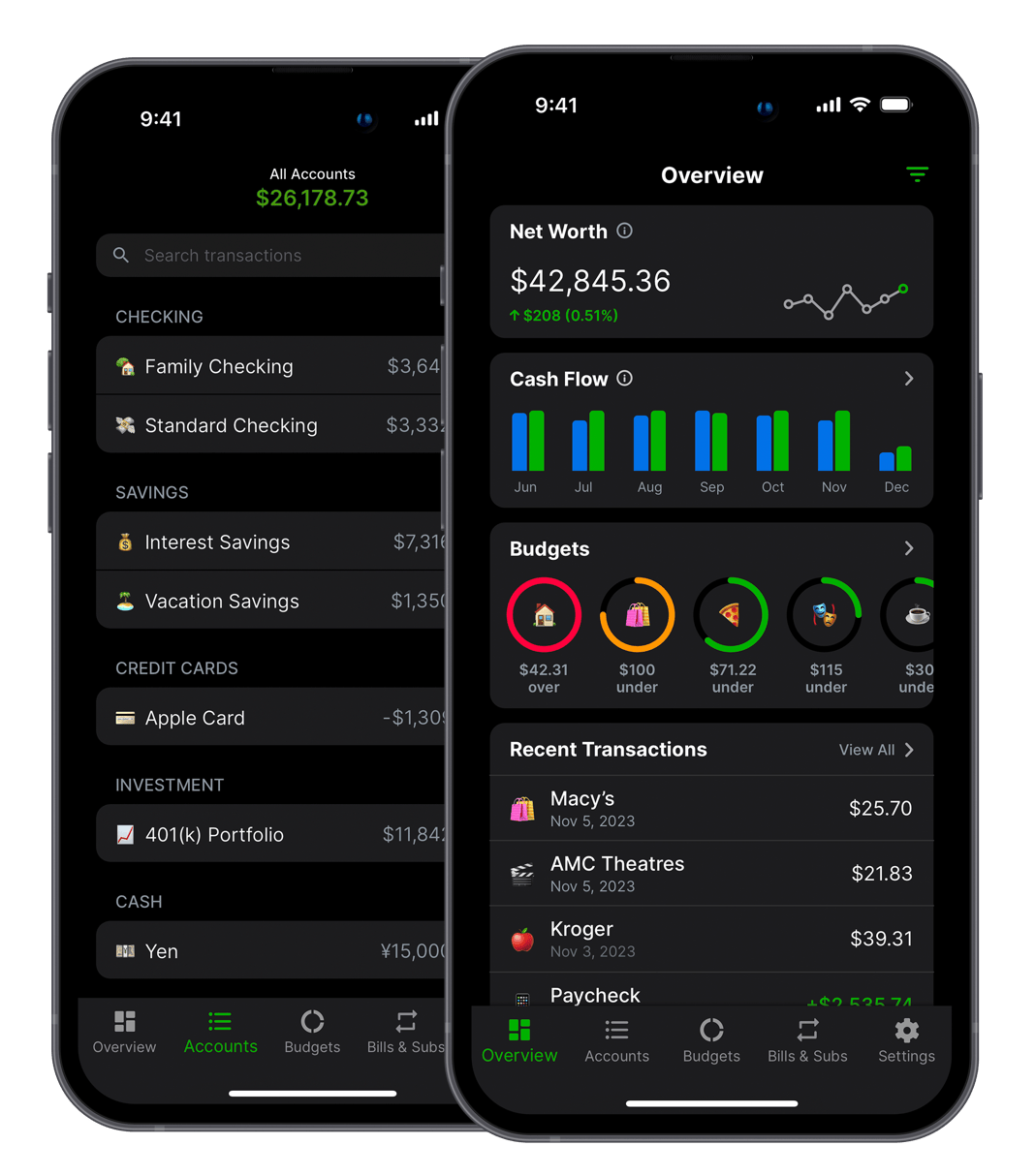
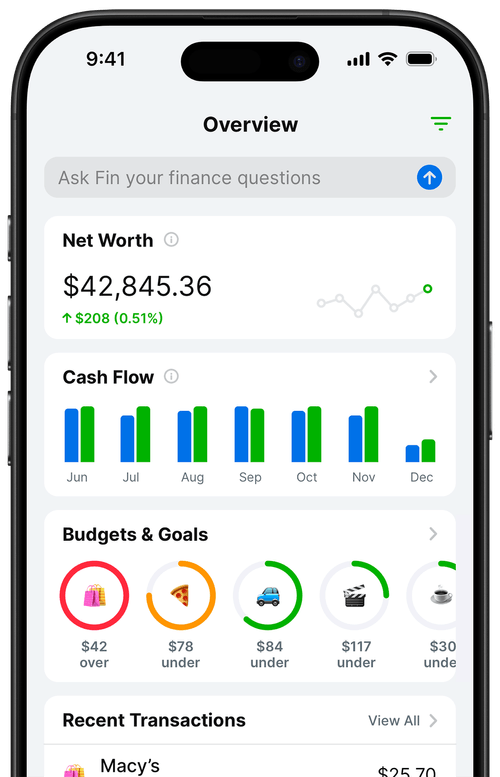
The Balance Pro overview screen already shows revenue, expenses, and net cash flow for the current month. Add a runway calculation by checking your savings balance against your average monthly burn from the last three months. Pin the cash flow chart to the top so the trend is visible without scrolling.
Step 6: Set a weekly five-minute review
Monday morning, open the app, look at the five numbers. That's it. The system runs itself between check-ins. If a number looks off, you'll see it in 30 seconds and can drill into the underlying transactions before the week gets away from you.
The "oh shit" month and what I learned from it
Three months after I built this system for myself, I caught something I would have missed otherwise.
Revenue for the month looked normal. Costs looked normal. The numbers I'd been glancing at on Mondays didn't set off any alarms. But on the last day of the month I opened the trend view and noticed something: my three-month rolling cost average had quietly climbed by $612 a month.
I went into the cost category and dug. Two software subscriptions had auto-upgraded to higher tiers when I added users. A cloud bill had crept up after I forgot to turn off a staging environment. I'd added a designer on a $400-a-month retainer and forgotten that I was, in fact, paying her every month. None of these were unreasonable. Each one, on its own, would have looked normal. Together they were taking $7,300 a year out of my net profit.
The single-month view didn't catch it. The trend did. I cut one subscription tier, killed the staging environment, and renegotiated the designer retainer to a project basis. By the next quarterly check-in I'd recovered the entire $612 and then some.
That's the whole point of the dashboard. It's not about staring at numbers all day. It's about having the right numbers in front of you at the moment they start telling you something. A solopreneur who checks revenue weekly and ignores trend will never see that kind of leak until tax time. By then the money is gone.
What should you not put on your dashboard?
The temptation when you build a dashboard is to add every metric you can think of. Resist it. A dashboard with 22 numbers is not a dashboard, it's a wall of data, and you'll stop looking at it within a month.
Here's what I deliberately don't track on my main dashboard, despite seeing other solopreneurs obsess over them:
- Daily revenue. Daily noise will make you feel terrible on slow days and overconfident on good ones. Daily is data, weekly is signal.
- Conversion rate from a specific page. That's a marketing metric. It belongs in your analytics tool, not your finance dashboard.
- MRR growth as a percentage. Useful for SaaS investor decks. For a solopreneur, the absolute dollar number tells you what you can actually do this month. The percentage flatters you when you're small and depresses you when you're large.
- LTV. A real number for a real business, but if you're solo and your data set is 200 customers across 14 months, your LTV calculation is statistical fan fiction. Wait until you have signal.
- Net worth. Important to know once a year. Not relevant to whether you can pay rent in October.
The five-number dashboard is intentionally narrow. Every metric earns its place because it changes a decision you might make this week. If a metric doesn't, it's noise, and noise is what kills dashboards.
What does the weekly review actually look like?
Mine is six minutes on a Monday morning. I open Balance Pro on my laptop while the coffee finishes, and I work through the same checklist every week so I don't have to think about it.
- Glance at revenue for the month so far. Compare to where I was at the same point last month. If it's significantly off in either direction, I make a mental note to look at why.
- Scan costs. Sort by amount, look at the top five. Anything new or unfamiliar gets clicked. This is where the leaks show up.
- Check the tax reserve balance. Is it on pace for the next quarterly payment? If not, I increase the percentage I'm setting aside on incoming deposits until it catches up.
- Look at runway. Cash on hand divided by average monthly burn. If it's below five months, I'm cautious about new commitments. Above eight, I have room to invest.
- Glance at the three-month trend chart. Are revenue and net profit climbing, flat, or falling? Two months of decline is a flag worth investigating. One is noise.
That's the entire system. Six minutes, once a week. The rest of the time I'm building, shipping, talking to customers. The dashboard exists so I don't have to think about money the other 167 hours of the week, which is the actual point.
Set this up in 30 minutes
If you want the dashboard live by the end of today, here's the fastest path:
- Open Balance Pro and create an account. Premium ($47.99/year) is enough for the manual version of this system. Ultra ($99.99/year) adds Plaid bank sync if you want transactions to import automatically.
- Connect or add your business and personal accounts. Don't skip personal if you mix the two, which most solopreneurs do.
- Create your income categories for each revenue source, named the way you actually think about them.
- Create cost categories for software, contractors, processing, hosting, and professional services. Annualize the yearly bills and split them into monthly amounts.
- Create a tax reserve savings goal at 28 percent of revenue. Adjust later when you talk to an accountant.
- Set a recurring weekly reminder for Monday morning. Six minutes. That's the whole maintenance budget.
The dashboard isn't impressive. It doesn't have charts that look like a spaceship cockpit. It has five numbers and a trend line, and it's the difference between running a business and hoping a business is running well. After two years of using this system I genuinely don't know how I made decisions before. Stripe is a metric. The five numbers are the dashboard.
If you're an indie app developer specifically, the revenue tracking side is worth going deeper on. The complete guide to tracking indie app finances covers multi-channel income across App Store, Google Play, and Stripe, plus the cost categories and monthly review ritual that keep the full profit picture accurate.
Frequently Asked Questions
What is a financial dashboard for a solopreneur?
A solopreneur financial dashboard is a single view that shows the five numbers determining the health of a one-person business: monthly revenue, monthly costs, net profit, runway in months, and the trend over the last three to six months. It replaces the patchwork of Stripe screens, bank apps, and spreadsheets most solo operators stitch together.
Why don't spreadsheets work for tracking solopreneur finances?
Spreadsheets require manual entry that breaks down within three months for most people, and the data lives on one device, doesn't sync with bank accounts, and only updates when you remember. A dashboard built on a budgeting app pulls from your accounts continuously, so the numbers stay current without weekly maintenance.
What is runway and how do you calculate it?
Runway is how many months your current cash will last if revenue stops today. Calculate it by dividing total liquid cash by average monthly burn (costs minus any guaranteed recurring revenue). A solopreneur with $18,000 in the bank and $3,000 a month in expenses has six months of runway.
How often should a solopreneur check their financial dashboard?
Once a week is enough for most solopreneurs. A short Monday review of revenue, costs, and runway catches problems before they compound. Daily checking creates anxiety without adding information, and monthly checks miss inflection points. Weekly is the right cadence.
What's the difference between revenue and net profit?
Revenue is the total amount your business takes in before costs. Net profit is what's left after subtracting every cost, including software, contractors, processing, taxes, and your own draw. A solopreneur making $8,000 in revenue with $3,200 in costs and a $2,000 tax set-aside has $2,800 in real net profit.