


Key takeaways
- The IRS has formally accepted digital and scanned receipts since 1997 under Revenue Proclamation 97-22.
- Scanned receipts must be legible, indistinguishable from the original, and stored somewhere you can reproduce a printed copy on demand.
- You can legally discard paper originals once your digital copies meet the IRS quality standards.
- Email confirmations, PDF receipts, and photos of paper receipts all count as valid digital records.
- The IRS statute of limitations runs three to six years, so plan to keep digital records for at least seven years.
The short answer is yes. The IRS has accepted digital receipt scans as valid tax documentation since 1997, and that has not changed. If you have been holding onto a shoebox of paper receipts because you were not sure whether digital copies would hold up, you can stop. Your scanned receipts are legally equivalent to the originals, provided they meet a few specific requirements.
The longer answer involves understanding what those requirements actually are, because "the IRS accepts digital receipts" does not mean any blurry smartphone photo qualifies. There is a formal rule, specific standards, and some practical steps that separate a defensible digital archive from a folder of junk files that would fall apart under scrutiny.
Does the IRS really accept digital receipts as valid tax records?
Yes, the IRS officially accepts digital receipts for taxes. The formal recognition came in 1997 when the IRS issued Revenue Proclamation 97-22, which established that electronically stored records carry the same legal weight as original paper documents. That proclamation has never been repealed or superseded on this point, and subsequent IRS guidance has only expanded what counts as an acceptable electronic record.
This matters practically because it means you are not relying on an informal accommodation or an auditor's goodwill. If the IRS conducts an audit and you present properly maintained digital receipts, they are legally required to accept them. That includes bank and credit card statements in electronic form, email confirmations, PDF receipts from online purchases, and photographs or scans of physical receipts.
The common misconception is that paper is somehow more "official." It is not. The IRS cares about legibility, completeness, and retrievability, not the physical medium. A crisp, organized digital scan is a stronger record than a faded thermal paper receipt that has turned blank after two years in a drawer.
Does Revenue Proclamation 97-22 cover all types of digital receipts?
Revenue Proclamation 97-22 applies broadly to any books and records a taxpayer is required to maintain under the Internal Revenue Code. That covers a wide range of documents, not just receipts. Purchase receipts, invoices, bank statements, mileage logs, and records substantiating deductions are all included.
For practical purposes, the types of digital receipts the IRS will accept include:
- Scanned paper receipts. A photograph or flatbed scan of a physical receipt, provided the image is clear and complete.
- Email receipts. Order confirmations and payment receipts from retailers, service providers, and contractors sent directly to your email.
- PDF receipts. Downloadable receipts from online purchases, subscription services, or vendor portals.
- Credit card and bank statements. Electronic statements downloaded from your bank or card issuer, which can corroborate and supplement receipt records.
- App-captured receipts. Receipts captured through a finance or expense tracking app that stores the image securely.
The procurement method does not disqualify a receipt. What matters is what the record contains and whether it can be reproduced reliably.
Do digital receipts need to meet specific quality standards?
The IRS sets out several conditions that digitized records must meet to be considered valid. These are drawn directly from Revenue Proclamation 97-22 and remain the current standard.
The scan must be an accurate reproduction of the original
The digital image must capture all information contained on the original document. If a receipt has a handwritten note or a partial tear that reveals context about the purchase, the scan needs to reflect that. Cropping out part of the receipt, even unintentionally, can create problems. Take the scan in full, including any merchant details, date, itemized amounts, and totals.
The image must be legible
This is the requirement most people underestimate. A blurry, low-resolution photo that you cannot read is not a valid record, no matter what the original said. Scan or photograph receipts at a resolution high enough that all text is readable without zoom or enhancement. Most scanner apps on a modern smartphone handle this fine if you take the photo in decent light and hold the phone steady.
You must be able to produce a hard copy on request
Your storage system must be capable of printing a legible copy on demand. This means your files need to be accessible, not buried in an app that could disappear, or stored on a dead hard drive with no backup. A cloud-based system with a reliable export function satisfies this requirement far better than a local folder on a laptop you might replace.
The records must be stored securely
The IRS requires that your records be maintained in a way that protects against loss or alteration. Backing up to at least two locations (such as cloud storage and a local drive) is reasonable practice. Keeping records in a system where they can be easily sorted by date, vendor, and amount makes retrieval faster if you ever face an audit.
Does keeping digital receipts mean you can throw out paper originals?
Once your digital copies meet the IRS standards above, yes, you can discard the paper originals. Revenue Proclamation 97-22 explicitly permits this. The IRS does not require you to maintain both formats.
The practical question is when exactly it is safe to discard the paper. The answer is: after you have verified the scan. Before you toss anything, open the image, zoom in, and confirm you can read every field on the receipt: the date, the merchant name, the individual line items, and the total. If it passes that check, the paper is redundant.
One exception worth noting is receipts for high-value purchases or unusual deductions. For a $12 business lunch receipt, the risk of losing the paper and having an unreadable scan is low. For a $4,800 equipment purchase that represents a significant deduction, you might want to keep the paper until you have confirmed the digital copy is stored in at least two places and is clearly readable. The math on that caution is straightforward: the cost of keeping a piece of paper for a few extra months is zero, and the cost of a disallowed deduction during an audit is not.
Does an IRS audit require printed copies of digital receipts?
Not necessarily, but you need to be able to produce them. The IRS can conduct an audit by correspondence, where you mail documents, or in person, where you bring physical records. In either case, your digital storage system needs to be capable of generating printed copies of your receipts if requested.
In practice, many correspondence audits are handled entirely through digital document submission. The IRS sends a letter, you respond with documentation uploaded through the IRS portal or mailed as printouts, and the case is reviewed. The format that works best depends on the auditor and the complexity of the inquiry.
What matters is not having everything pre-printed, but being able to find, retrieve, and reproduce any specific receipt within a reasonable window of time. If you have 200 receipts in a cloud folder organized by year and category, pulling the documentation for a challenged deduction takes minutes. If your receipts are scattered across email threads, text photos, and a scanner app you used for three months in 2022, that same task could take days and still come up incomplete.
Organization is not a bureaucratic preference. It is the practical condition that makes your digital records useful when it matters most.
Does organizing digital receipts actually matter if you get audited?
It matters more than most people expect. The IRS does not give credit for having records that exist but cannot be found or interpreted. A well-organized digital archive demonstrates that your recordkeeping was intentional and systematic, which is a different signal than a disorganized collection of files.
Auditors are human. When you hand someone a clearly labeled folder with receipts sorted by expense category and matched to the line items on your return, the implied message is that you tracked this carefully and you have nothing to hide. When you hand someone a folder called "miscellaneous 2023" with 300 files named "IMG_4437.jpg," the implicit message is different.
A practical organizational structure that works for most self-employed people and small business owners:
- Organize by tax year at the top level.
- Within each year, sort by expense category (travel, meals, office supplies, equipment, professional services, and so on).
- Name each file consistently: date, vendor, and amount. For example, "2025-03-14_amazon_office-supplies_47.99.pdf" is retrievable and self-explanatory.
- Back up the full folder to at least one cloud service with version history enabled.
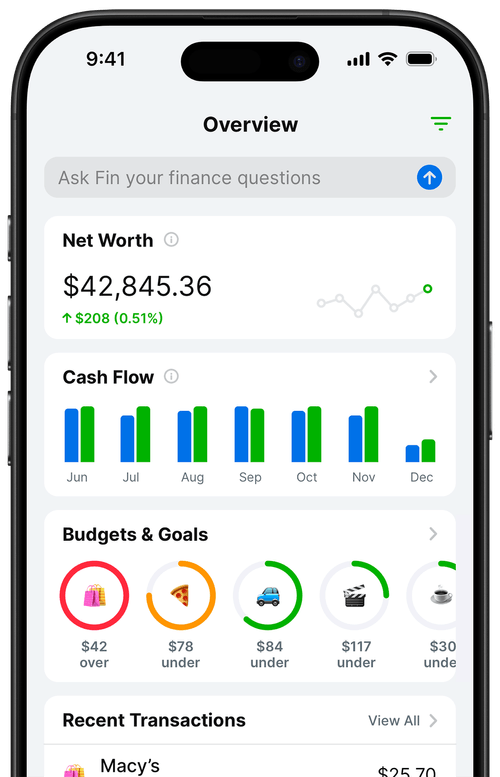
If you use a finance app that ties receipts directly to categorized transactions, that structure is already built in. The receipt lives alongside the transaction record, categorized by the expense type, with a date and amount attached. Exporting that data for an audit produces a clean, organized report rather than a pile of image files.
How long do digital receipts need to be kept for taxes?
The IRS statute of limitations for auditing a tax return is generally three years from the date the return was filed. That window extends to six years if the IRS believes income was substantially underreported (by more than 25 percent). There is no statute of limitations at all for fraudulent returns.
Given those windows, most tax professionals recommend keeping all tax-related records, including receipts, for at least seven years. That covers the six-year window with a one-year buffer and accounts for the possibility that a return was filed late or amended.
With digital records, the cost of keeping files longer is essentially zero. There is no physical storage burden. The main risk with long-term digital retention is format obsolescence, where files saved in a proprietary format become unreadable as software changes. Saving receipts as standard PDFs or JPEG images avoids that problem, since those formats are universally supported and are not going away.
Frequently Asked Questions
Does the IRS accept digital receipts as proof for tax deductions?
Yes. The IRS has accepted digital and scanned receipts as valid proof for tax deductions since 1997 under Revenue Proclamation 97-22. The receipts must be legible, reproducible as hard copies, and stored securely. Auditors are legally required to accept properly maintained electronic records in place of paper originals.
What is Revenue Proclamation 97-22?
Revenue Proclamation 97-22 is the IRS rule issued in 1997 that formally established that electronically stored records, including scanned receipts, carry the same legal weight as original paper documents for tax purposes. It set out the standards digital records must meet to qualify: legibility, accuracy, secure storage, and the ability to reproduce a hard copy on demand.
Can I throw away paper receipts after scanning them?
Yes, once your digital scans meet IRS quality standards. The scan must be legible, capture the full original document, be backed up securely, and be reproducible as a printed hard copy on request. Verify the scan before discarding the paper, especially for high-value purchases tied to significant deductions.
What happens if my digital receipts are blurry or unreadable during an audit?
A blurry or unreadable receipt may not be accepted by the IRS as valid documentation for the deduction it was meant to support. If the paper original is also gone, the deduction could be disallowed. Scan receipts at high resolution in good lighting, and check each image before discarding the original.
Do I need to print digital receipts for an IRS audit?
You do not need to pre-print them, but your storage system must be capable of producing a legible printed copy on demand. Many audits are now handled by correspondence or digital submission. The key requirement is that you can retrieve and reproduce any specific record quickly.
How long should I keep digital receipts for taxes?
The IRS generally has three years to audit a return, extending to six years if income appears substantially underreported. Most tax professionals recommend keeping all tax records for at least seven years. With digital storage, retention costs nothing, so erring on the side of keeping records longer is easy and sensible.